Collaborations overview
What Collaborations is: an email-first brand CRM for creators, sold as an add-on. Brands, deals, follow-ups, sequences, agents and Notion in one place.
Collaborations is a brand CRM for creators. It covers the whole deal: the brands you want to work with, the pitch, the follow-ups, the agreement, the deliverables and the payment.
It works from email. Brands that write to you show up ready to become deals, pitches and follow-ups go out from the mailbox you connected in Inbox (or wait there as drafts), and replies, attachments and contracts land on the deal they belong to.
Open it from Dashboard → Collaborations, or go to /dashboard/collaborations. While you're inside, the sidebar shows the module's own pages, with ← Dashboard to go back.
What you'll achieve
- Know what each Collaborations page is for
- Know what the add-on includes and what it needs, such as a mailbox
- Know where to start: add brands, open deals, schedule follow-ups
Before you start
- The Collaborations add-on. Without it, the pages show an Add Collaborations card that links to Billing → Add-ons. See Collaborations pricing and limits.
- A connected mailbox to send email: Gmail, Outlook or IMAP, in Inbox. Paid plans include a mailbox. On Free it is a separate mailbox add-on. Without one, follow-ups still work as reminders that you send yourself.
- Collaborations access in your workspace. Owners and admins have it. For other members it depends on their role, and an owner or admin can change it with Permissions in Team → Members. See Permissions.
The pages
| Page | What it's for |
|---|---|
| Get started | The setup checklist: connect your inbox, bring in your brands, study your inbox, put an agent to work |
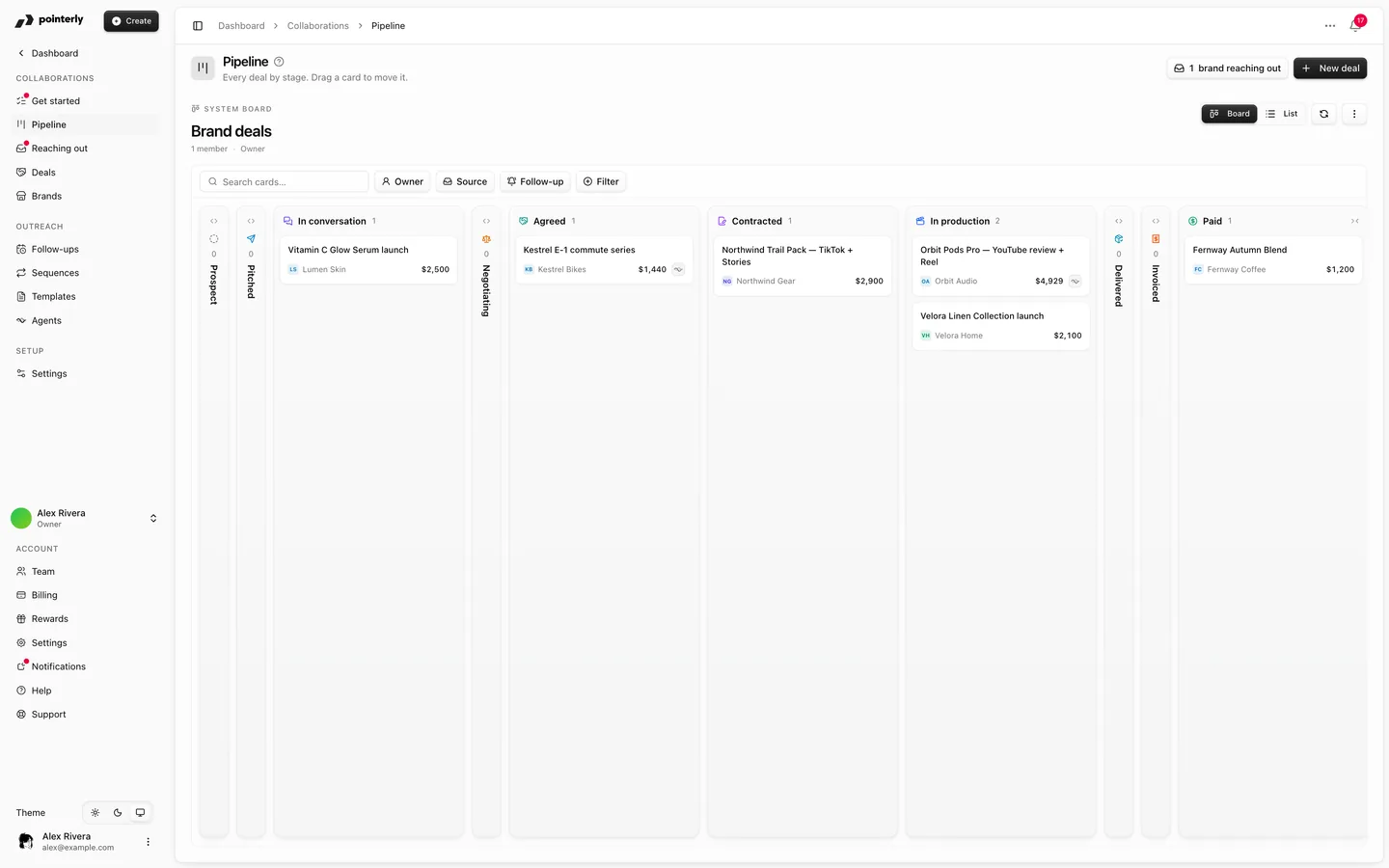
| Pipeline | Every deal by stage. Drag a card to move it |
| Reaching out | Brands that emailed you and aren't on a deal yet. Turn them into deals in one click |
| Deals | All deals as a list, with value, dates and next follow-up |
| Brands | Your prospects and partners, with research, contacts and follow-ups |
| Follow-ups | What is overdue, due today and coming up |
| Sequences | Reusable follow-up cadences you start from any deal |
| Templates | Pitches and replies that fill in the brand, the deal and you. Also the Notion workspace templates |
| Agents | AI agents that pitch, follow up and triage for you, and the approvals they're waiting on |
| Settings | Default currency, send window, email delivery, calendar options and your Notion databases (Settings → Collaborations) |
What's included
- A brand CRM with contacts, research fields, do-not-contact and a full activity timeline
- A deal pipeline from pitch to paid, with value, dates, deliverables and usage rights
- Brands reaching out by email, turned into deals in one click
- Deal files from the brand's emails, an AI contract review, and signing with Adobe Sign or a recorded signed copy
- The brand's brief read from the contract and emails, tracked links for its products, and video scripts per deliverable
- Follow-ups and sequences, sent from your mailbox or kept as reminders
- Message templates with variables, and Write with Poppy to draft them
- Collaboration agents that answer brands, quote from your rate card, pitch and follow up, and ask before they act
- Two-way Notion sync. No separate Notion add-on is needed
- Deals in Earnings, deal dates on the Calendar, and deal labels in Inbox
Steps
1. Set up from Get started
Open Get started. It walks you through connecting your inbox, importing your brands from a spreadsheet or Notion, and letting Pointerly study your inbox for brands and deals you already have. See Get started with Collaborations.
You can also add brands one by one from Brands → Add brand. See Brands and deals.
2. Open a deal for each collaboration
On a brand, click New deal, or turn an email from a brand into a deal on Reaching out (see Brands reaching out). You move the deal along the pipeline as it progresses. From Contracted on, it needs a contract signed by both parties (see Deal files, contracts and signing).
3. Pitch and follow up
From the deal, click Compose to send a pitch from a template. Then schedule a follow-up or enroll the deal in a sequence. See Follow-ups and sequences.
4. Let an agent help (optional)
Create an agent in Agents to prospect, follow up or sort incoming brand email. It asks for your approval before it sends anything or changes your pipeline. See Collaboration agents.
Common questions
Is Collaborations the same as the Brand workspace? No. Collaborations is your own CRM for the brands you pitch. The Brand workspace is for brands that run campaigns for creators on Pointerly.
What happens to my data if I cancel the add-on? It's kept. The pages show the add-on card again and nothing can be changed until you add it back.
Does it send email from Pointerly's address? No. Email goes out from your connected mailbox, so brands reply to you. With Email delivery set to drafts in Settings → Collaborations, automatic and AI email is saved as a draft in your mailbox for you to send.