Deal brief and scripts
Read the brand's brief from the contract and emails, track the product link the brand sent, and write a video script for each deliverable with Poppy.
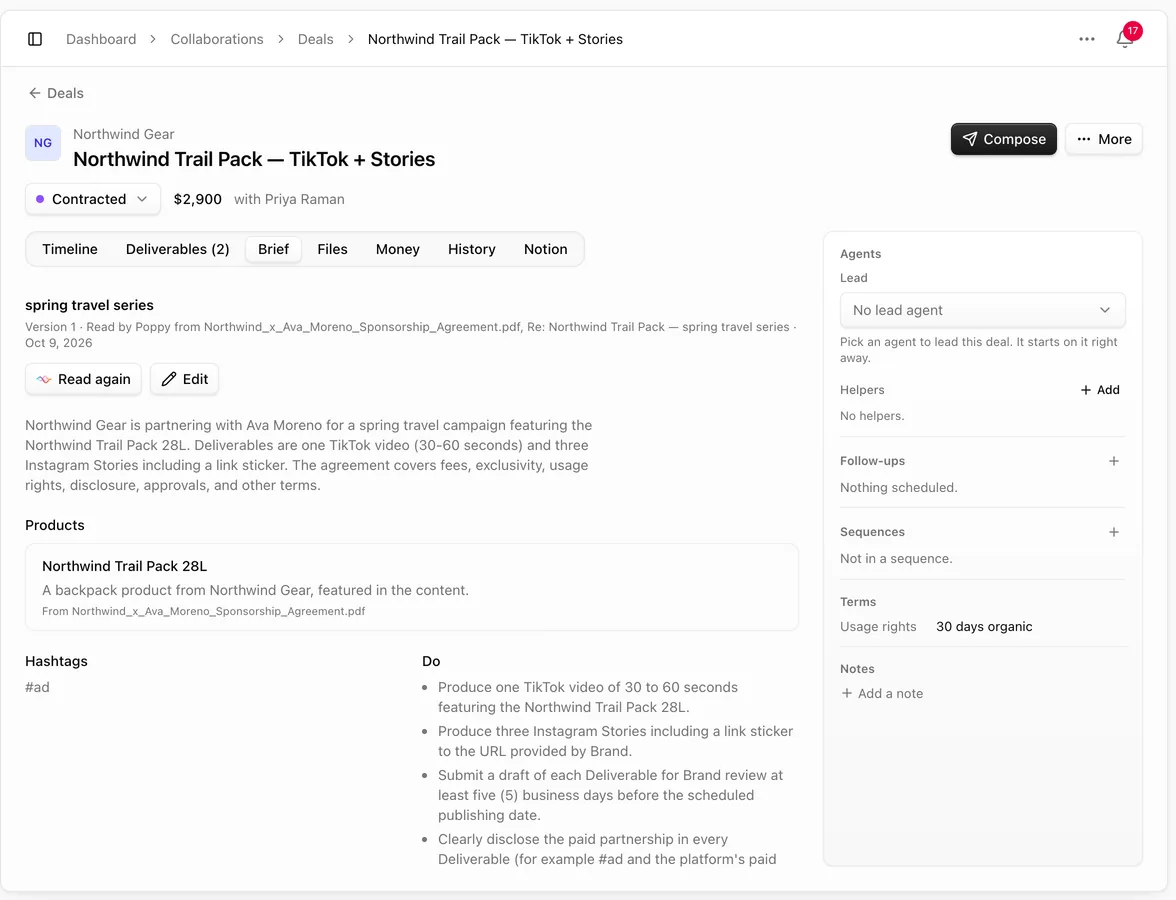
Every deal has a Brief tab. It holds what the brand asked for: the product and its link, key messages, things to mention, hashtags and accounts to tag, do's and don'ts, the call to action, deadlines, approvals and usage rights. Scripts for the deal's deliverables are written from it.
Read the brief
- Add the brand's brief or contract in Files, or link the brand's emails to the deal (see Deal files, contracts and signing).
- Open Brief and choose Read from contract & emails. Poppy reads the contract, the brief files and the deal's emails and fills in the brief. It uses 1 AI credit (none when your workspace uses its own AI key).
- Check it and choose Edit to fix or add anything. Every save is a new version; the earlier versions stay in the deal's History. When the brand sends something new, choose Read again.
The brief shows its version, whether it was Read by Poppy (and from which files and emails) or Edited by you, then the Products, Key messages, Must mention (and where: said aloud, on screen or in the caption), Hashtags, Accounts to tag, Do and Don't, Links to include, Deadlines, Call to action, Disclosure the brand asks for, Approvals, Usage rights and Tone.
You can also write the brief yourself with Write it.
Track the product link
Brands usually send the product link in an email. When the brief has a product link that is not tracked yet, choose Create tracked link on the product. Pointerly creates your tracked link (or uses the one you already have for that product), adds it to the deal's links and uses it for the script. Your plan's link limits and link safety checks apply.
If the brand never sent a link, the script uses the product as the brief describes it. It needs a name and a description.
Write a script
- Open Deliverables, open a deliverable's menu and choose Write script (or Write script under Brief for the whole deal).
- Pick the platform and the script type. They start from the deliverable's platform.
- Pick the product, and write what you want in What do you want?: the angle, the tone, a story, what to show.
- Choose Write script. It uses 1 AI credit.
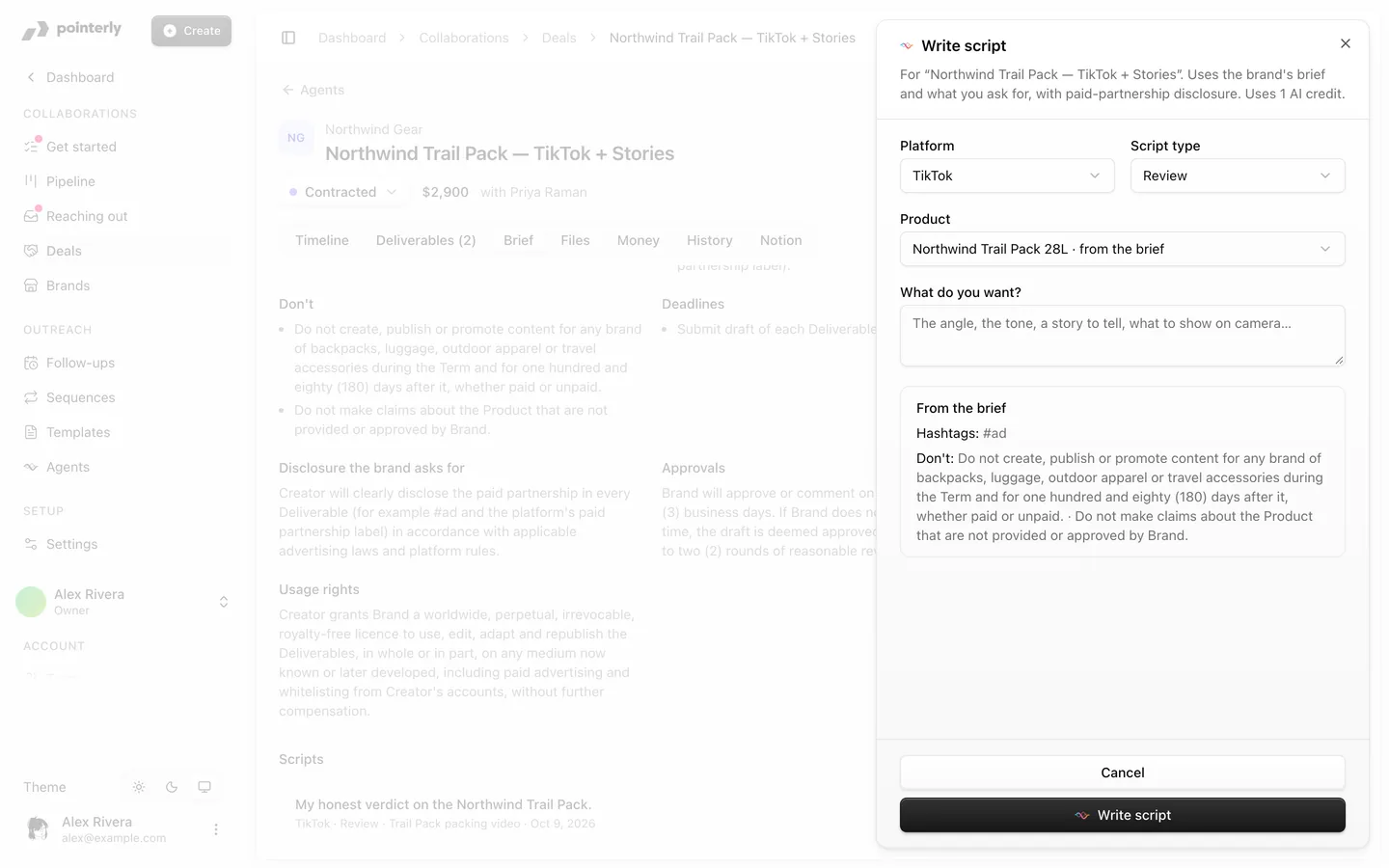
The script follows the brief (hashtags, accounts to tag, things to mention, do's and don'ts) and includes a paid-partnership disclosure, said out loud, on screen and in the caption. Turn on the platform's paid-partnership label when you publish.
The script is attached to the deliverable and listed under Brief → Scripts. Choose Open script to edit it, film with the shot list or share it.
Without a signed contract
Scripts are deliverable work. Without a contract signed by both parties, the sheet says No signed contract yet and you're asked to confirm Continue without a signed contract; your name, the date and your reason go into the deal's History. Agents can't write scripts until both parties sign. See Deal files, contracts and signing.
Agents
A deal's agent can read the brief, create the tracked link for a product the brand sent and write a script. Each follows the agent's autonomy: with Ask me, you get an approval card in Approvals. Agents never continue without a signed contract.