Brands reaching out
Brands that email you and aren't on a deal yet: the Reaching out page, Poppy's read of each email, and turning one into a deal with Accept deal, Create brand + deal, Link to deal or Not a brand.
When a brand emails you about paid or gifted work, you don't have to copy anything into your CRM. Pointerly picks the email out of your connected mailbox and keeps it on Collaborations → Reaching out until you turn it into a deal or link it to one.
Before you start
- A mailbox connected in Inbox. Without one, the page asks you to connect it.
- Automatic triage on in Settings → Inbox. Triage is what reads new email and spots brands that write to you.
The Reaching out page
Open Collaborations → Reaching out. When brands are waiting, the Pipeline header also shows how many, for example 3 brands reaching out.
Each row is one email from a brand that isn't on a deal yet, with the brand, the sender, the subject and when it arrived.
- Kind: Proposed deal when Poppy already drafted a deal from the email, Email only when it hasn't.
- Intent: how Poppy read the email, such as Brand outreach, Partnership or Negotiation.
- Search by brand or sender.
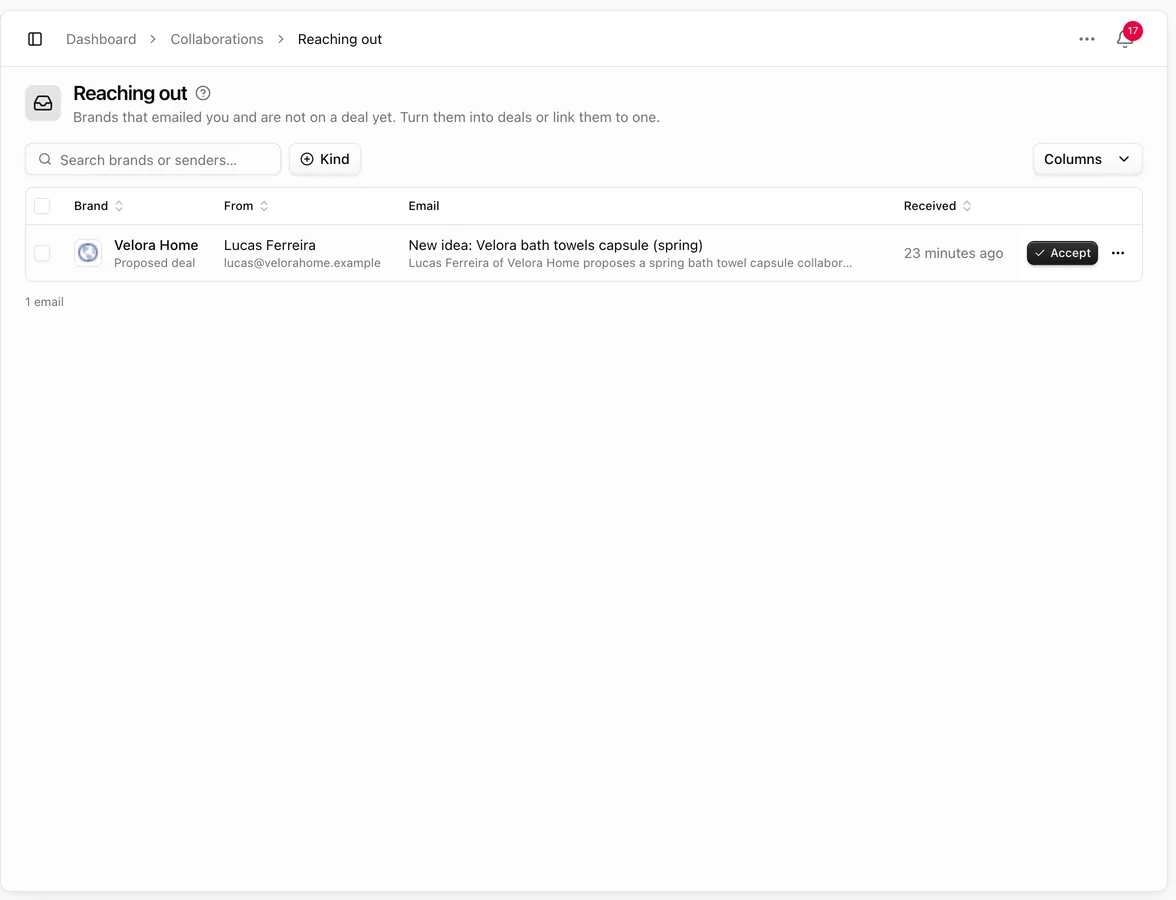
Newsletters, notifications and emails already on a deal never show up here.
Open an email
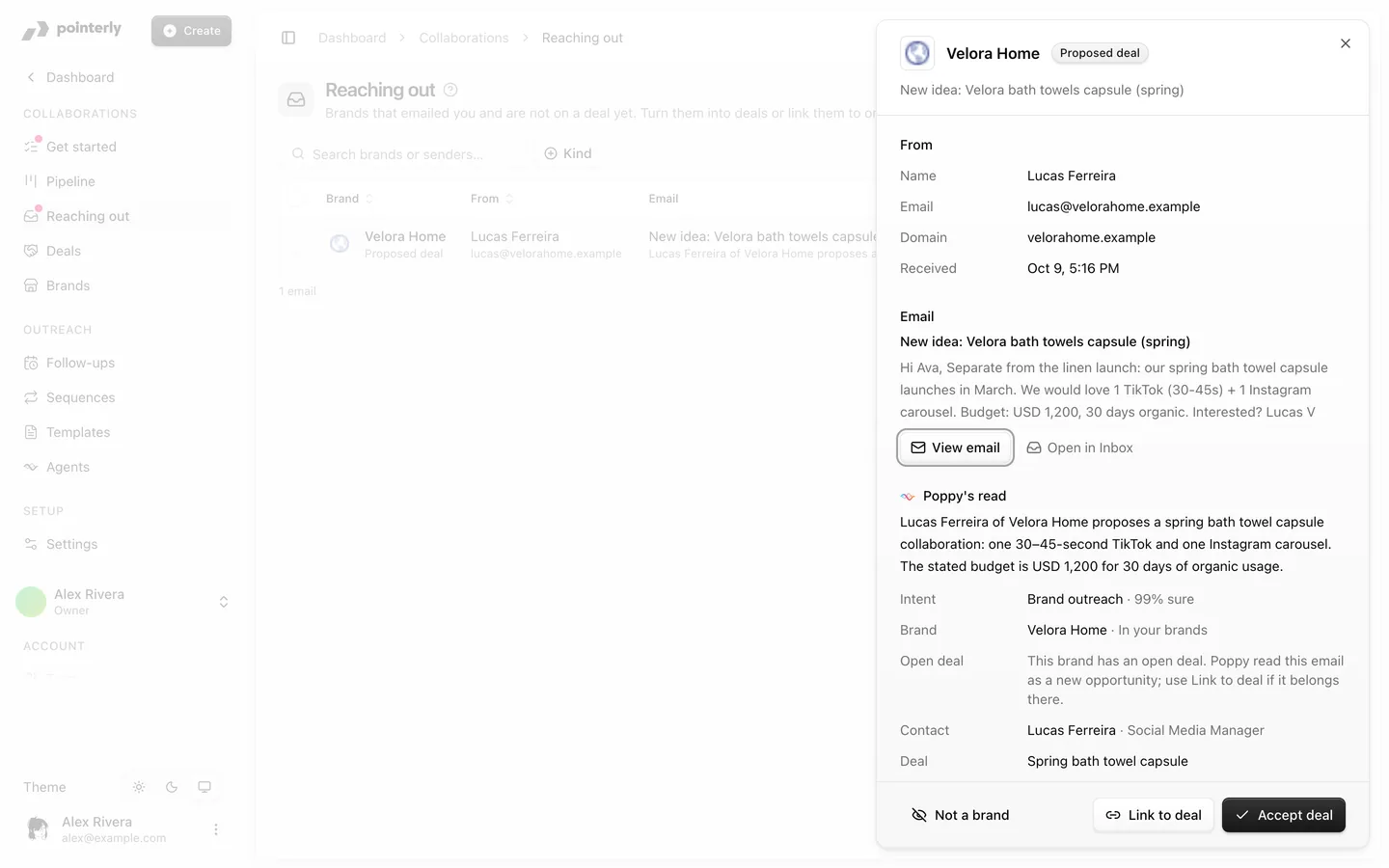
Click a row to open it. The sheet shows:
- From: the sender's name, email, domain and when it arrived.
- Email: the subject and the start of the message. View email opens the whole thread in a side sheet without leaving the page, and Open in Inbox takes you to it in Inbox.
- Poppy's read: a short summary, the intent, the brand (In your brands or New brand), the contact, the deal and the Proposed amount (or Not mentioned). When the brand already has an open deal, it says so, in case the email belongs there.
Turn it into a deal
At the bottom of the sheet:
| Button | What it does |
|---|---|
| Accept deal | Shown on a proposed deal. Adds the brand (or reuses the one you have), the contact and the deal exactly as Poppy proposed, and opens the deal |
| Create brand + deal | Shown on an email-only row. Creates the brand, contact and deal from the email and opens the deal. If Poppy hasn't read the email yet, it reads it once, which uses 1 AI credit |
| Link to deal | The email belongs to a deal you already have. Pick the deal; the email moves to its timeline and leaves the list. A brand's open deal comes preselected |
| Not a brand | Hides the email from the list for your whole team. The email stays in your inbox. Undo in the confirmation brings it back |
A brand you already have, matched by the contact's email or the company domain, is reused, never duplicated. Every new deal counts toward your plan's deal limit (see Collaborations pricing and limits).
Agents and brands reaching out
An agent with the New email trigger can read these emails for you, qualify the brand and propose a deal. Creating a deal from a new lead always waits for your approval. See Collaboration agents.
Common questions
A brand emailed me but isn't on the list. Check that the mailbox is connected and that automatic triage is on and doesn't skip that mailbox. If the email is already linked to a deal, or someone chose Not a brand, it doesn't show.
Does accepting a deal email the brand? No. Nothing is sent. You reply from the deal with Compose, or let the deal's agent do it.