Your Amazon workflow.
Right where you browse.
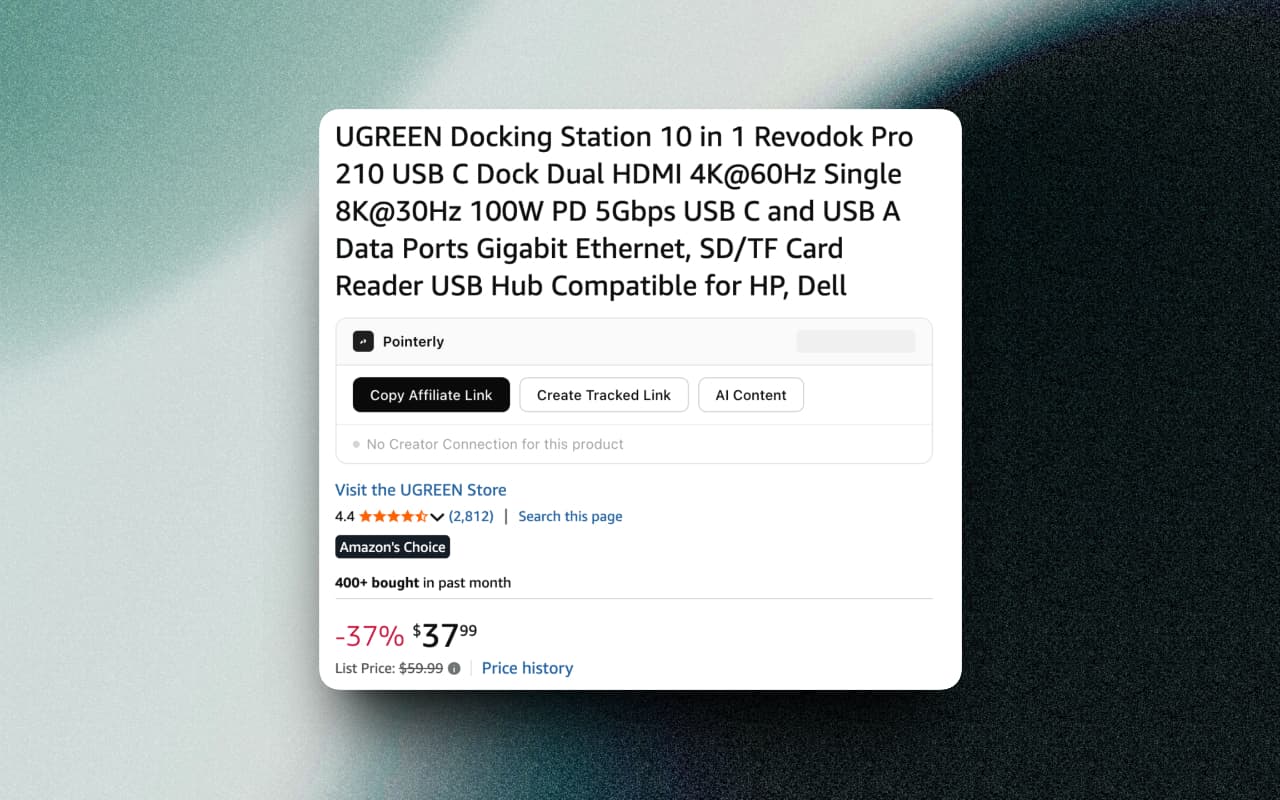
Pointerly Connect adds a working panel to every Amazon page you already use: product pages, Shop lists, Creator Connections, and earnings reports. Explore interactive previews below with sample data.
Everything it adds
Ten surfaces, all inside Amazon
Pointerly Connect never asks you to go somewhere else first. It renders where the work already happens — and the six largest surfaces are demoed live further down this page.
10 surfaces · Chrome · free plan included
A whole list becomes one link you can share.
- Auto-scrolls the list and reads every product — no manual scrolling, no refresh
- Preview with images, ASINs and editable names, cached between visits
- “Already in Pointerly” duplicate detection, scoped to the tag you picked
- Whole list imports in a single request, so nothing trips Amazon or API rate limits
- Every product inside the bundle still routes through its own tracked short link
Interactive preview · Sample data
Summer Edit
48 items · Maya Builds
AURA Insulated Water Bottle, 32 oz
Ceramic Pour-Over Coffee Set
Linen Weighted Blanket, Queen
Walnut Desk Organiser Tray
Self-Care Gift Set — Citrus
Matte Glass Spray Bottle, 2-pack
Reading the list…
Auto-scrolling to load every product
0 / 48 found
Enrolled campaigns, linked before you leave the page.
- Auto-discovers every campaign you are eligible for via Amazon's official API, with DOM fallback
- Commission rates, budgets, dates, requirements and ASINs all captured
- Auto-apply to campaigns matching your rules, with enrolment status tracked
- Build links one at a time or hit “Create All” and watch the whole campaign fill in
Interactive preview · Sample data
AURA Home — Summer Hydration
12% boosted commission
Campaign enrolled
AURA Insulated Bottle, 32 oz
B0C7YXQ2H8
AURA Tumbler, 16 oz — Sand
B0CJ2WK1FZ
AURA Straw Lid Replacement
B0D3LQ8VXR
AURA Bottle Brush Set
B09KMR4T2N
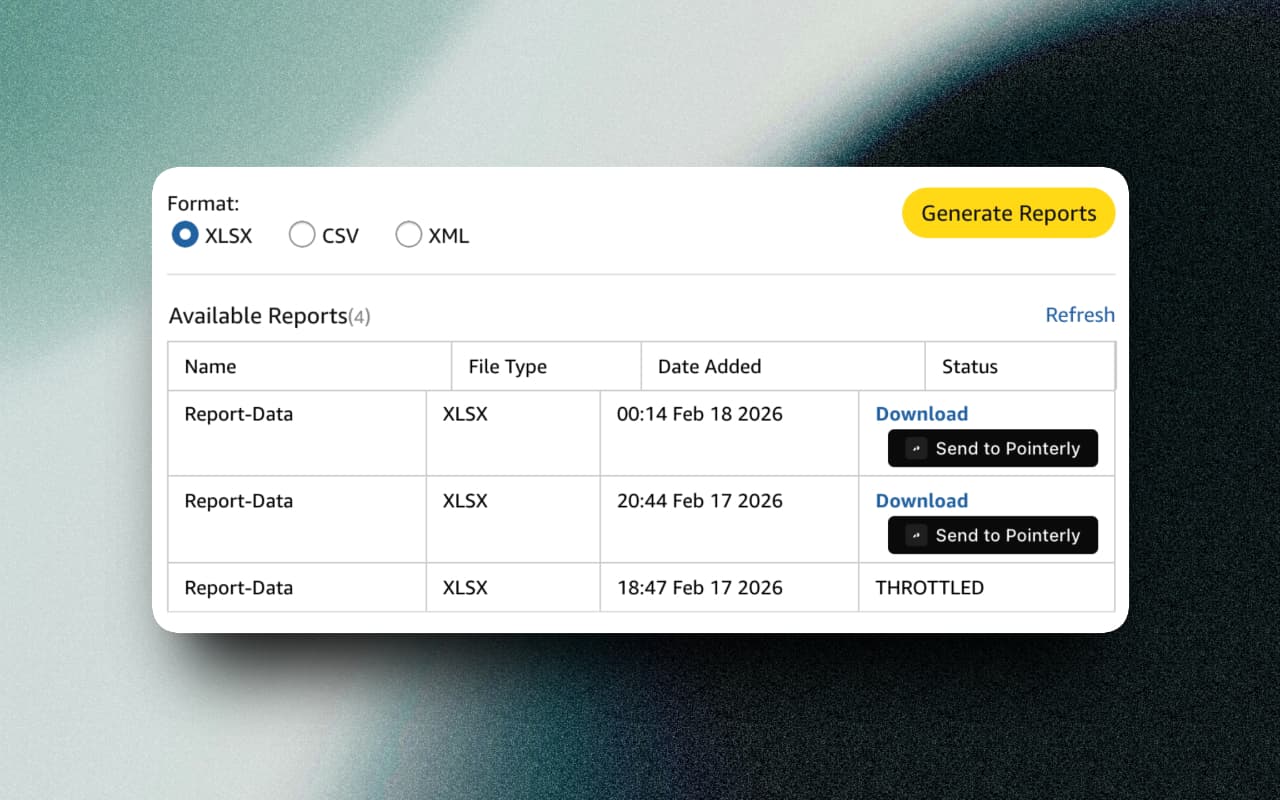
Reports go to Pointerly without a download folder.
- Associates reports in .xlsx and .zip — clicks, orders, revenue and commissions
- Date ranges and tracking IDs detected automatically
- SPCC earnings import the moment Amazon finishes generating the report
- Re-sending a file you already imported is recognised, not duplicated
Interactive preview · Sample data
Download reports
Tracking ID: yourtag-20
Fee-Earnings-Report-Feb2026.xlsx
Feb 1 – Feb 29, 2026 · 412 KB
Orders-Report-Feb2026.zip
Feb 1 – Feb 29, 2026 · 1.2 MB
Fee-Earnings-Report-Jan2026.xlsx
Jan 1 – Jan 31, 2026 · 398 KB
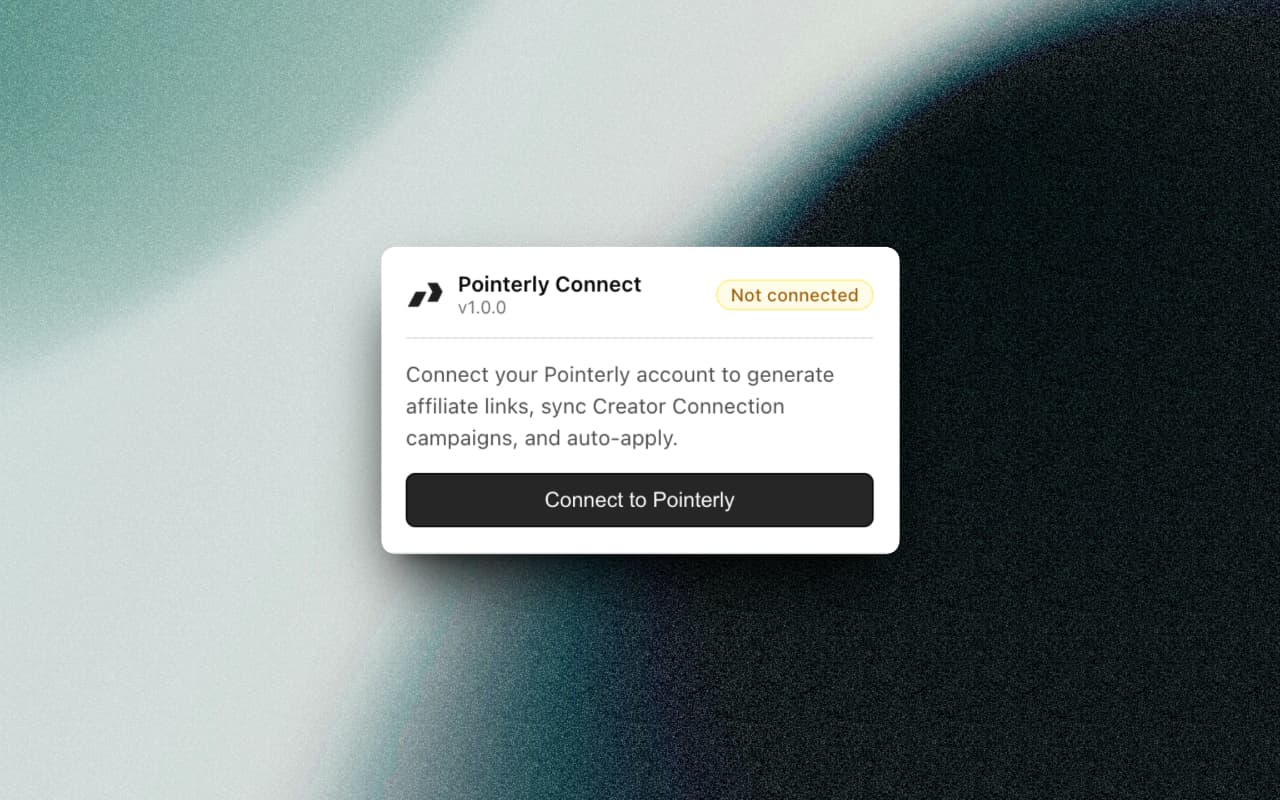
Two minutes to connect. Then it reads the tab for you.
- Sign in once; the session carries to every Amazon tab you open afterwards
- Reads the active tab, so the product in front of you is already loaded
- Copy an affiliate link or sync every Creator Connections campaign from the toolbar
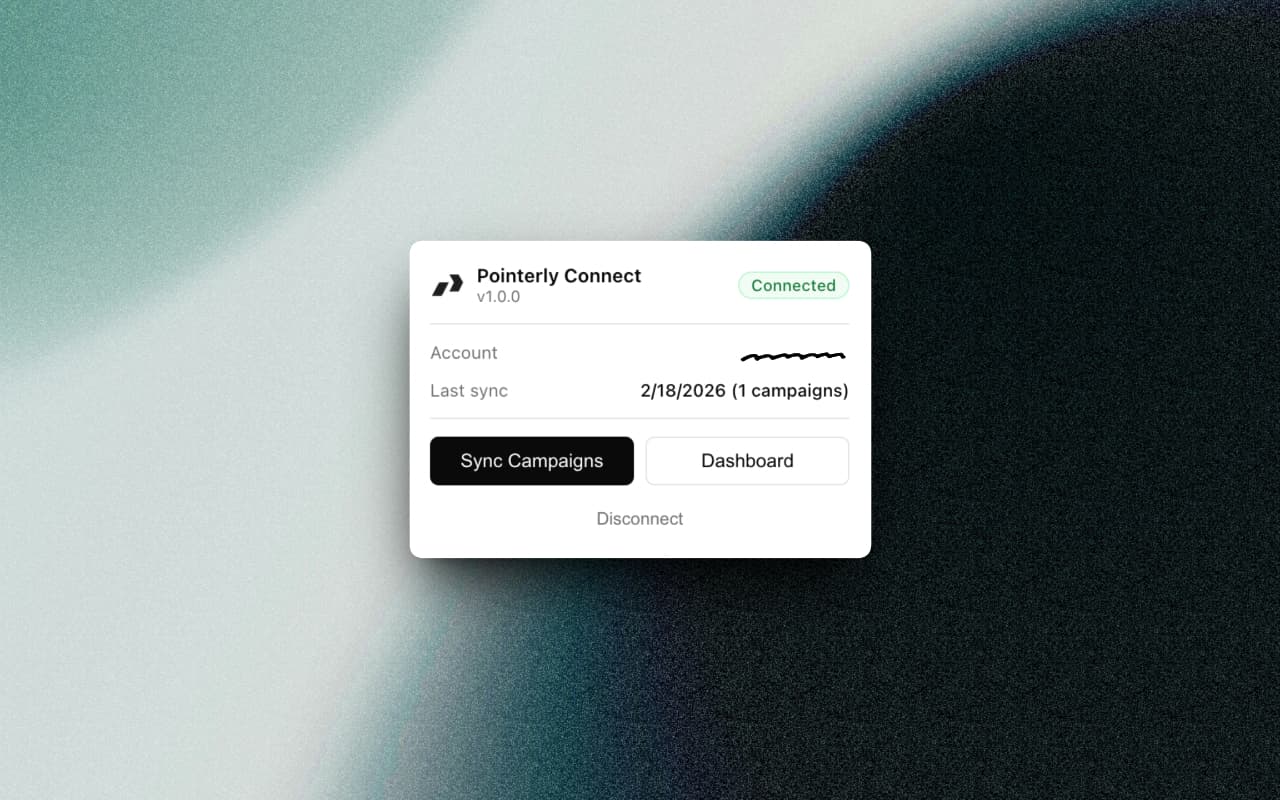
- Account, affiliate tag and last-sync state visible without opening the dashboard
Interactive preview · Sample data
Pointerly Connect
v1.1.0
Connect your Pointerly account to generate affiliate links, sync Creator Connection campaigns, and auto-apply.
The caption comes out of the page you are already reading.
- Five platforms, three tones, three lengths and four languages, switched in place
- Written from the live page — title, price, rating and ASIN, not a generic prompt
- Every draft ships with the tracked short link already attached
Interactive preview · Sample data
Platform
Tone
Length
Language
AI Generated Content
Okay, the hydration goal is finally happening 💧 32 oz, ice still ice at hour 14, and it fits a cup holder. Midnight is the colour I keep reaching for — link in bio.
Where it all lands
The browser captures it. Your dashboard compounds it.
Nothing the extension collects stays trapped in a browser tab. Links, bundles, campaigns, and earnings sync into Pointerly, where they turn into analytics you can actually act on.
Ranked campaigns
Creator Connections sorted by estimated extra revenue, with assisted apply.
Per-link history
Every tracked link with its own click, conversion, and revenue timeline.
Unified earnings
Associates and SPCC reports sitting next to the links that produced them.
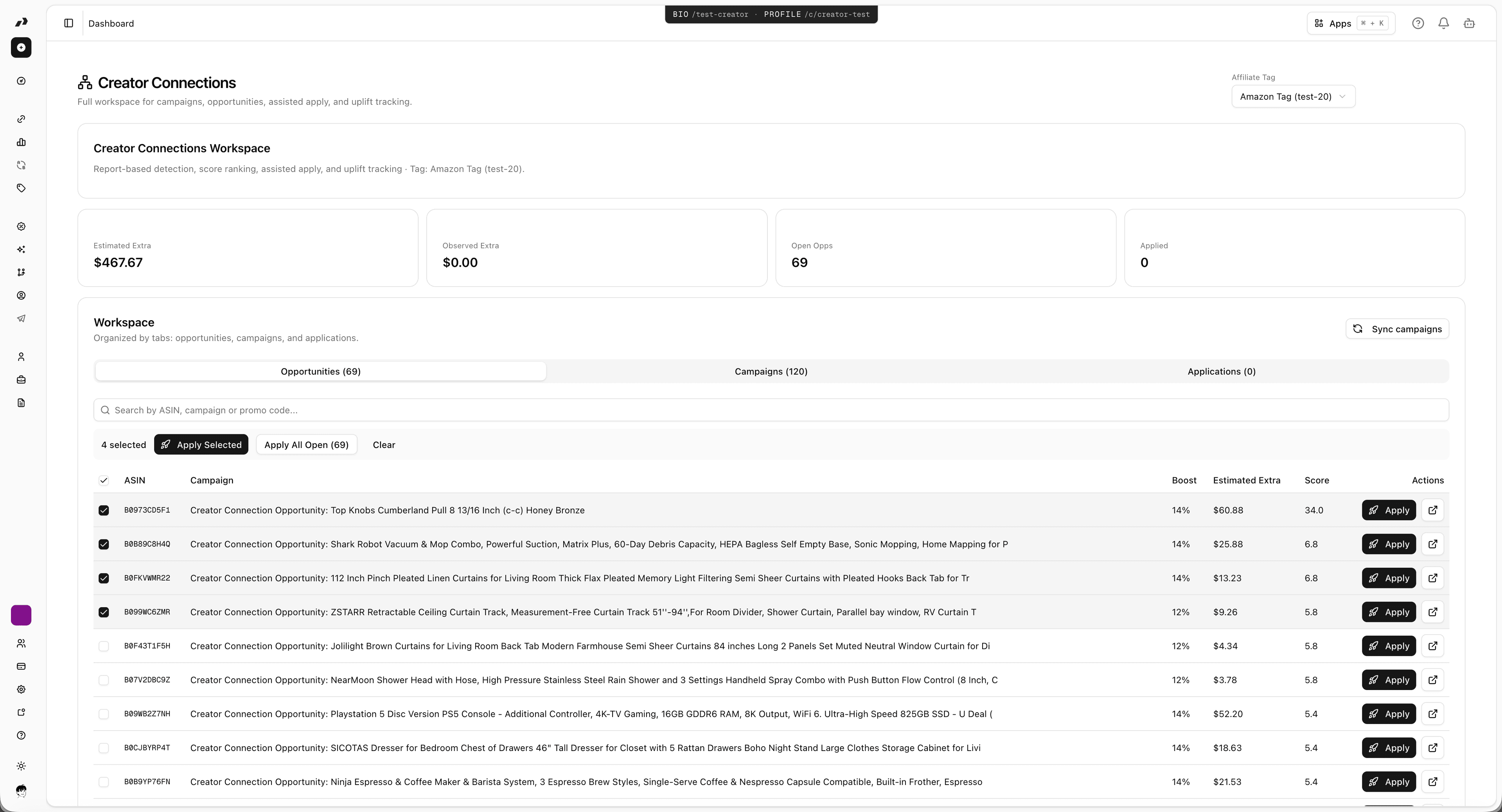
Every campaign the extension syncs lands here — commission boost, estimated extra revenue, score ranking, and one-click assisted apply.
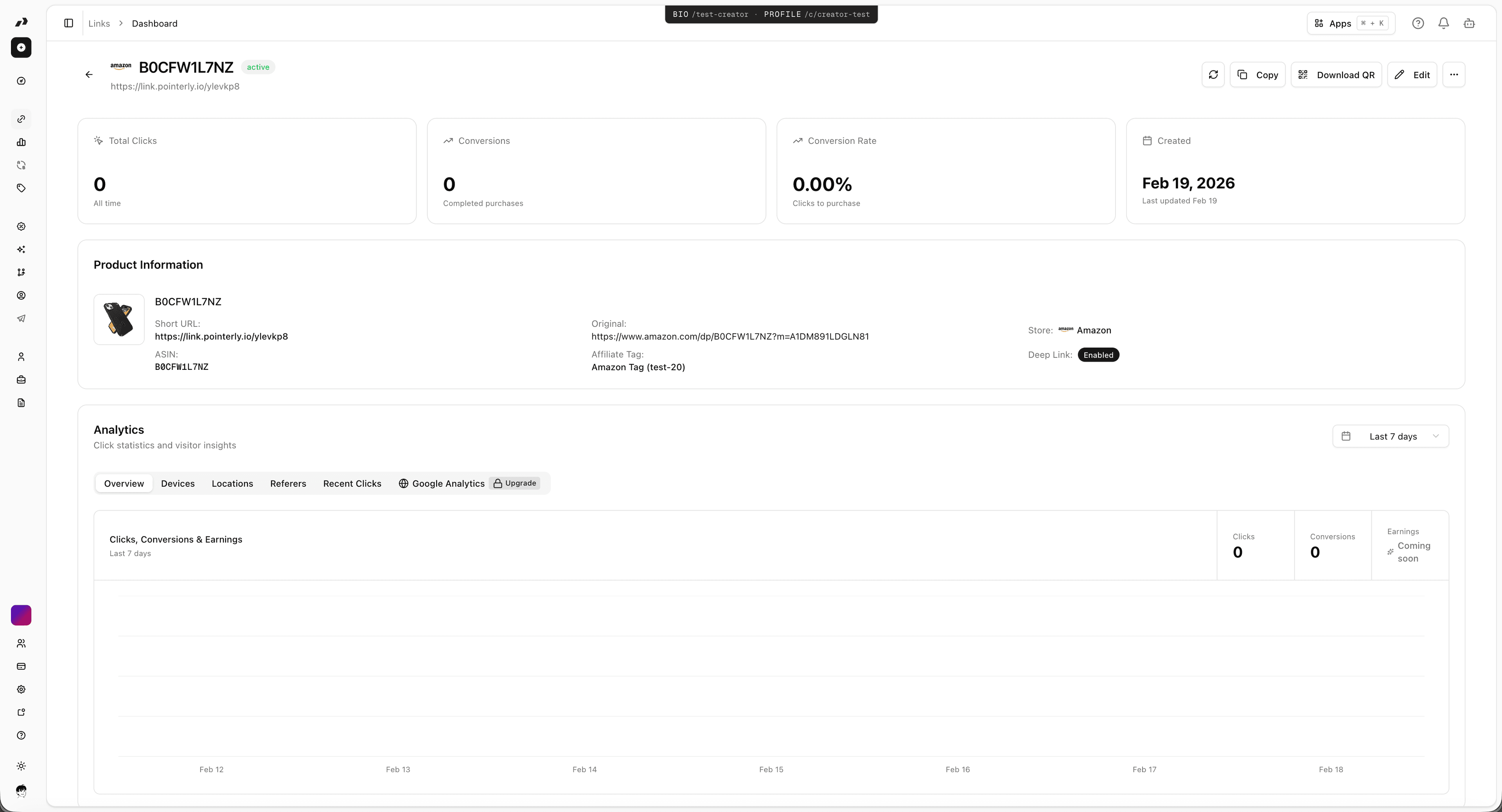
Clicks, conversions, and revenue for every link the extension created — alongside the Associates and SPCC earnings it imported.
For the record
The same surfaces, photographed
The demos above are the interface rebuilt in the browser. These are the untouched captures from the Chrome Web Store listing, for anyone who wants to compare.
4 captures · 1280×800
How it works
Up and running in two minutes
No dashboards to learn first — the extension meets you on the Amazon pages you already have open.
Install and connect
Add Pointerly Connect from the Chrome Web Store, sign in with your Pointerly account, and add your Amazon Associates tag.
Browse Amazon as usual
The widget appears on product pages, Shop and storefront lists, Creator Connection campaigns, and reporting pages — right where you already work.
Share and track everything
Links, bundles, campaigns, and earnings all land in your Pointerly dashboard with full click and commission analytics.
Your browser.
Your next chapter.
Prefer Safari? Join the waitlist for Pointerly Connect and hear when it’s ready. Keep your account and your links together.
Extension FAQ
Questions about Pointerly Connect. Can't find the answer? Contact support.
Is Pointerly Connect free?
Yes. The extension is free to install and works with any Pointerly account, including the Free plan. Limits on links and AI generations depend on your plan — see the pricing page for details.
Which browsers are supported?
Pointerly Connect is available for Google Chrome on the Chrome Web Store today. A Safari version is currently in App Store review and will be available soon.
Which Amazon pages does it work on?
Product pages, Amazon Shop and influencer storefront lists, Creator Connection campaign pages, Associates reporting pages, and the Sponsored Products for Creators (SPCC) earnings tab.
Does the extension see my Amazon password?
No. Pointerly Connect uses your existing Amazon session and only activates on Amazon affiliate pages. It never sees your password and does not track your personal browsing history.
Can I import an Amazon Shop list I already manage?
Yes. Open the list, let the panel scan it, uncheck anything you don't want, and import the rest in one go. You get tracked links for every product plus one shareable bundle link to replace the Amazon URL.
Does it work with eBay or Walmart?
eBay and Walmart are supported in the Pointerly webapp today. Support for them inside the extension is coming soon.
How do I connect the extension to my team workspace?
Install the extension, then open Dashboard > Settings > Extension in Pointerly and click Connect. The setup guide walks through every step, including troubleshooting.
Stop copy-pasting.
Start earning.
Install Pointerly Connect, connect your free account, and create your first tracked affiliate link before this tab cools off.