Account credit and invoices
How account credit from Rewards sits on your Stripe balance, comes off your next invoice before your card is charged, carries over, and shows on Billing.
Some rewards are paid in dollars instead of credits, for example the $10 account credit the starter referral program adds to an invite reward. Account credit is added to your workspace's Stripe customer balance. Stripe takes it off your next invoice automatically, before your card is charged. You don't need a coupon or a code.
What you'll achieve
- Know where account credit comes from and where it lives
- Know how and when it's used on an invoice, and what happens to any leftover
- Read the account-credit lines on the Billing page
Before you start
- Right workspace selected. Credit belongs to the workspace's billing customer.
- Billing → view to see it on the Billing page. Rewards → view to see it in Rewards History.
- Amounts are set per program by staff. A single reward can't give more than $500 of account credit.
How account credit works
| Rule | Details |
|---|---|
| Where it lives | Your workspace's Stripe customer balance, not the rewards wallet. It isn't shown as a wallet tile |
| When it's used | Automatically, on your next invoice that has something to pay, before your card is charged. On the Stripe invoice it appears as an applied balance |
| Leftover | If the credit is bigger than the invoice, the rest carries over to later invoices |
| Expiry | Never expires |
| Cash | It can't be withdrawn or paid out. It only pays Pointerly invoices |
| No billing account yet | A workspace that has never checked out has no Stripe customer. The credit waits in Rewards as pending: the wallet shows $X pending — applied once billing is set up, and History marks the row Pending. It is added to Stripe automatically once the workspace has a billing account, for example after a first upgrade or pack purchase |
Where it comes from
- Referral rewards that include account credit. You get: 1,000 DM credits + $10.00 account credit. Paid with your referral reward after the hold.
- Promotions whose reward is account credit. The claimed row says Off your next invoice.
- Courtesy credit from Pointerly staff.
Each grant appears in Rewards → History as, for example, +$10.00 account credit.
Steps
1. See your credit on Billing
- Open Dashboard → Billing (Overview tab).
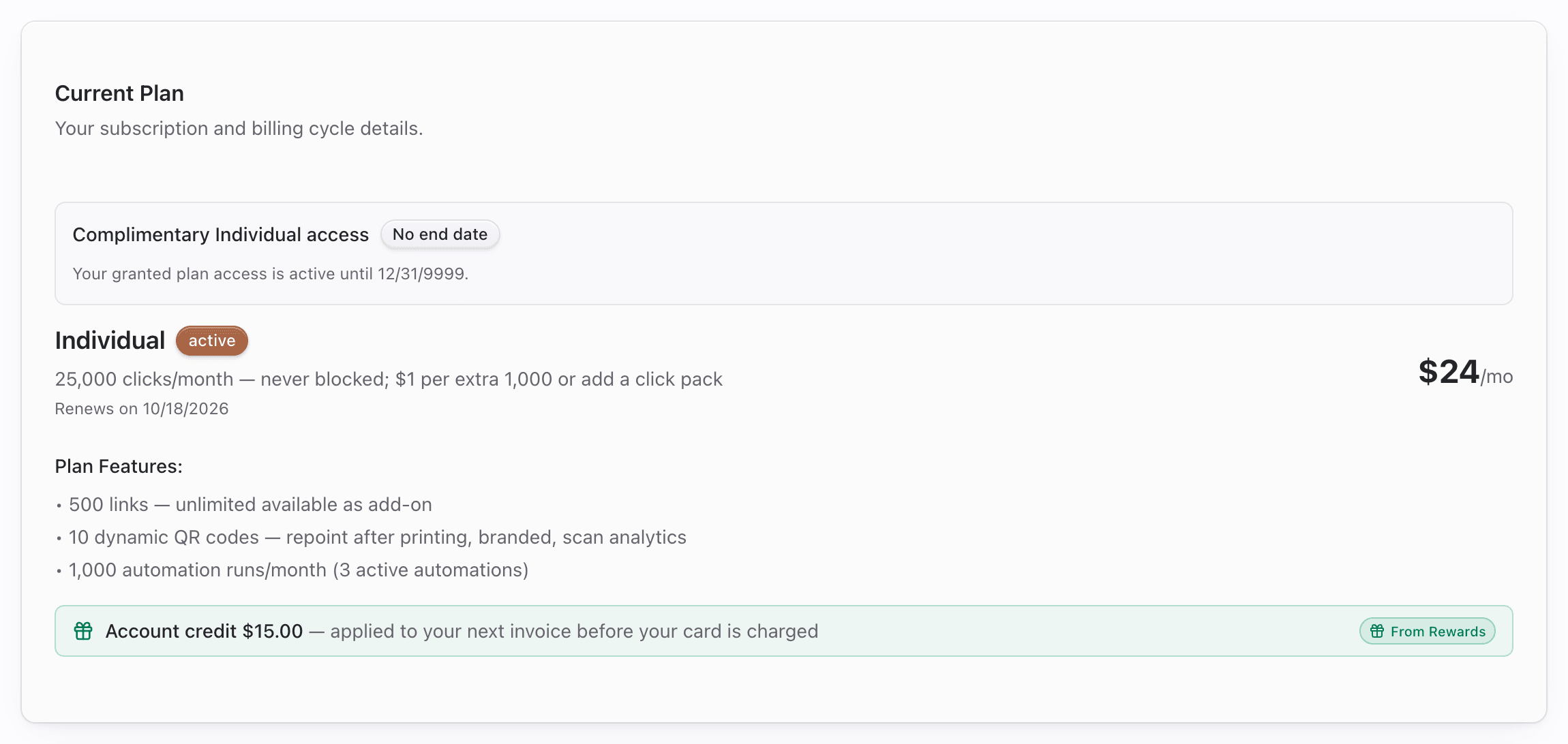
- Under your current plan, look for Account credit $15.00 — applied to your next invoice before your card is charged. A From Rewards badge means at least part of the balance came from Rewards.
2. Read the upcoming invoice
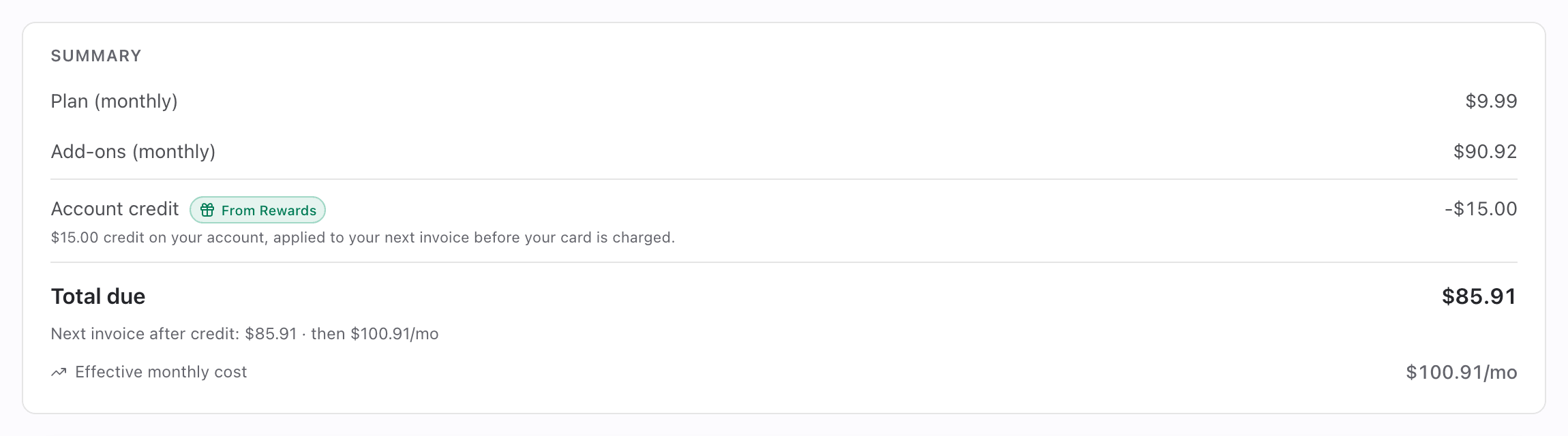
- On the Upcoming invoice card, the Summary lists plan, add-ons and usage charges, then an Account credit row with the amount taken off (for example −$15.00) and the From Rewards badge.
- The note under the row explains the rest:
- $15.00 credit on your account, applied to your next invoice before your card is charged.
- If there's leftover: $5.00 carries over to later invoices.
- If nothing is due yet: $15.00 credit on your account, applied to your next invoice with a charge.
- Total due is the amount after credit.
- Under it: Next invoice after credit: $117.89 · then $132.89/mo. The credit is one-off. The monthly figure is what recurs.
- The card's header also shows Next invoice $117.89 after a one-time $15.00 credit.

3. Confirm on the issued invoice
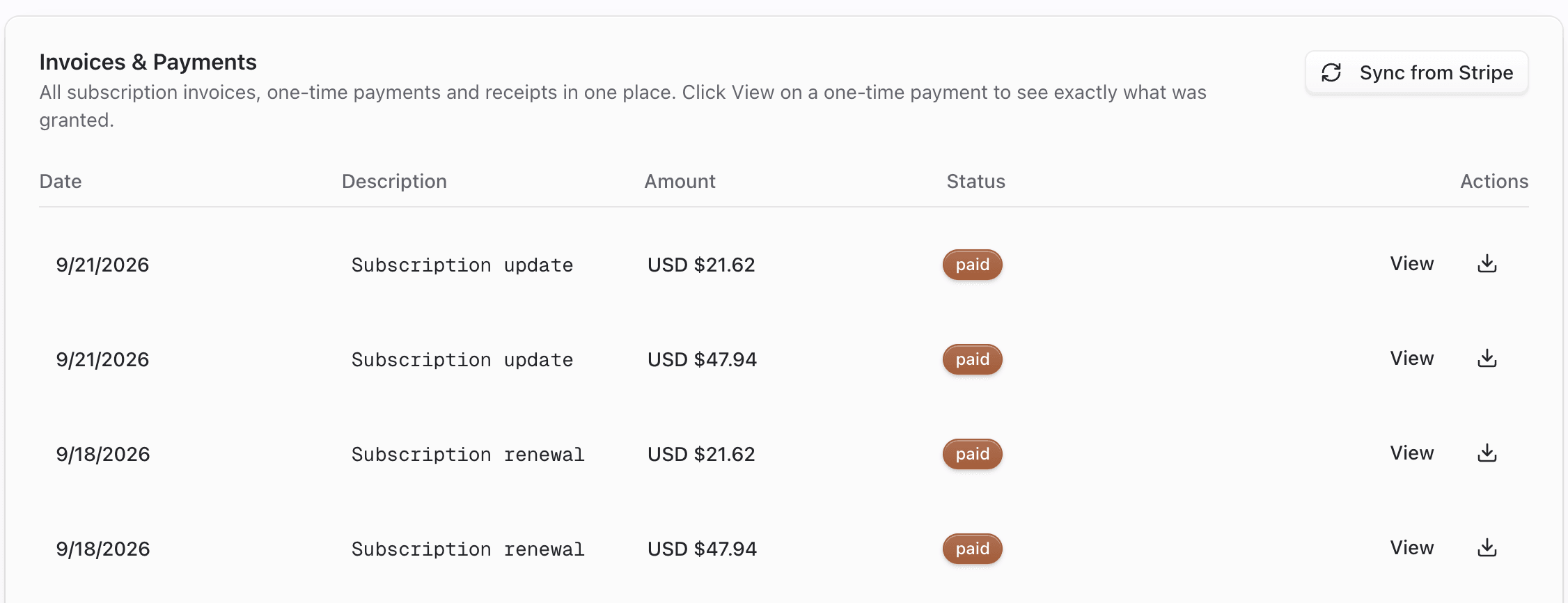
- After the invoice is issued, open Billing → Invoices & History.
- Click View on the invoice, or the download icon for its PDF. On the Stripe invoice the credit appears as an applied balance, and the charged amount is the total after credit.
Tips
- Credit is used on the next invoice with a charge. You can't save it for a later month.
- Account credit and reward credits (DM, clicks…) are different things. Credits cover usage units. Account credit lowers the invoice total.
Common questions
Why isn't my account credit on the rewards wallet card? The wallet only shows credits that are spent unit by unit. Account credit sits on your Stripe balance and shows on Billing and in History.
My credit didn't reduce the last invoice. It's applied to invoices issued after the credit reached Stripe. If the workspace had no billing account when you earned it, it was added once one existed. Check History for the grant date and Billing for the current balance.
Can staff take account credit back? If a reward was granted by mistake, staff can reverse it, and the amount is debited from your Stripe balance. Rewards already paid for a valid referral aren't clawed back because of a later refund.
Troubleshooting
| Symptom | Likely cause | What to try |
|---|---|---|
| No Account credit row on Billing | No credit on the Stripe balance, or it hasn't reached Stripe yet | Check History. Credit for a workspace without a billing account waits until one exists |
| Credit shown but invoice still charged in full | Invoice was issued before the credit was added | It applies to the next invoice |
| carries over to later invoices | Credit bigger than the invoice | Expected. The rest is used next time |
| No From Rewards badge | That credit didn't come from Rewards (for example a Stripe adjustment) | Expected |