Create a link
Paste a product URL, attach an affiliate tag, set a slug, and publish a tracked short link.
Create a tracked short link from a product or storefront URL, attach the correct affiliate tag, optionally tune deep / desktop behavior, then copy the short URL for publishing.
What you'll do
- Open Create Link from the Links page
- Paste a destination URL and review the product preview
- Attach a matching affiliate tag (required for Amazon, eBay, and Walmart)
- Optionally set slug, group, shop visibility, expiry, and open behavior
- Save and copy the short URL
Before you start
- You can create links in this team (Links → create permission)
- You have remaining link capacity (otherwise you’ll see Get more links)
- For Amazon / eBay / Walmart: have an affiliate tag for the same store and marketplace as the product URL
- Prefer the final product URL (resolved page), not an unresolvable shortener, when possible
Steps
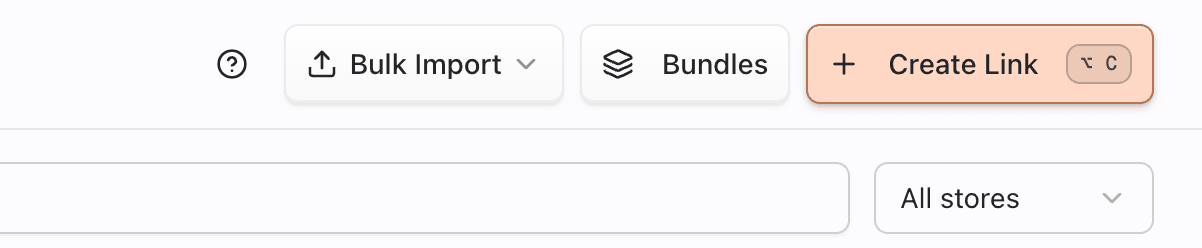
1. Open Create Link
- Go to Dashboard → Links.
- Click Create Link (keyboard shortcut is shown on the button when available).
The dialog opens on the create step. Pointerly checks your team’s link capacity when the dialog opens so you aren’t blocked only after filling the form.
2. Paste the destination URL
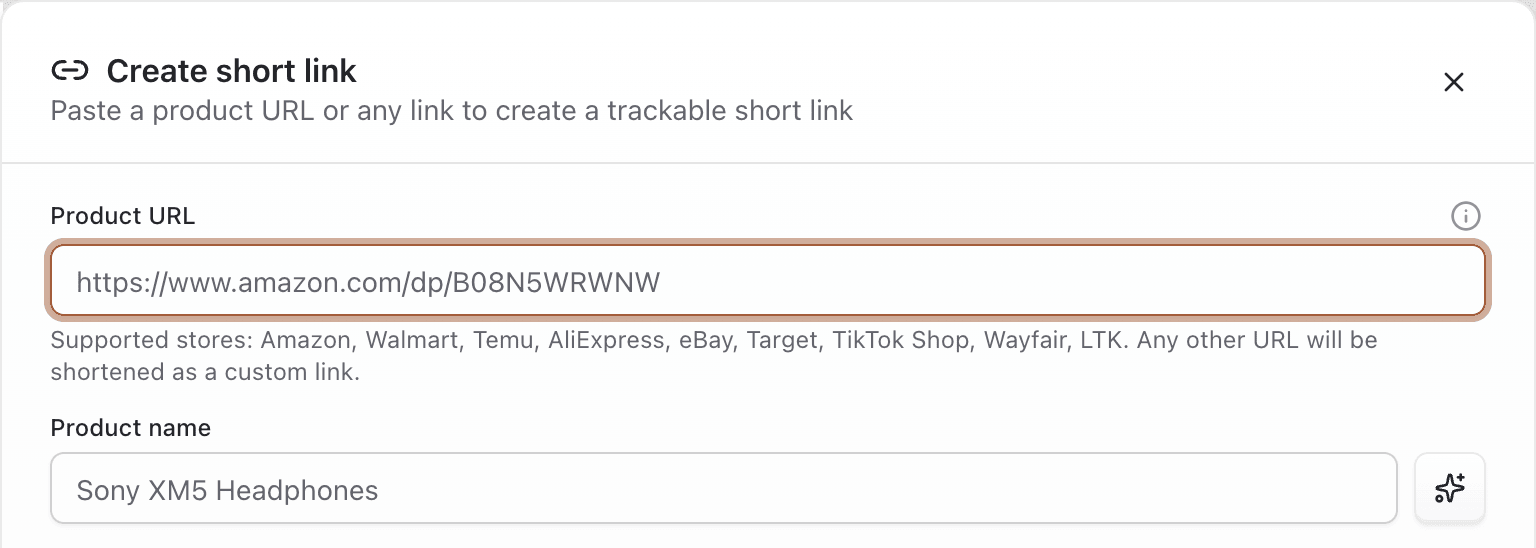
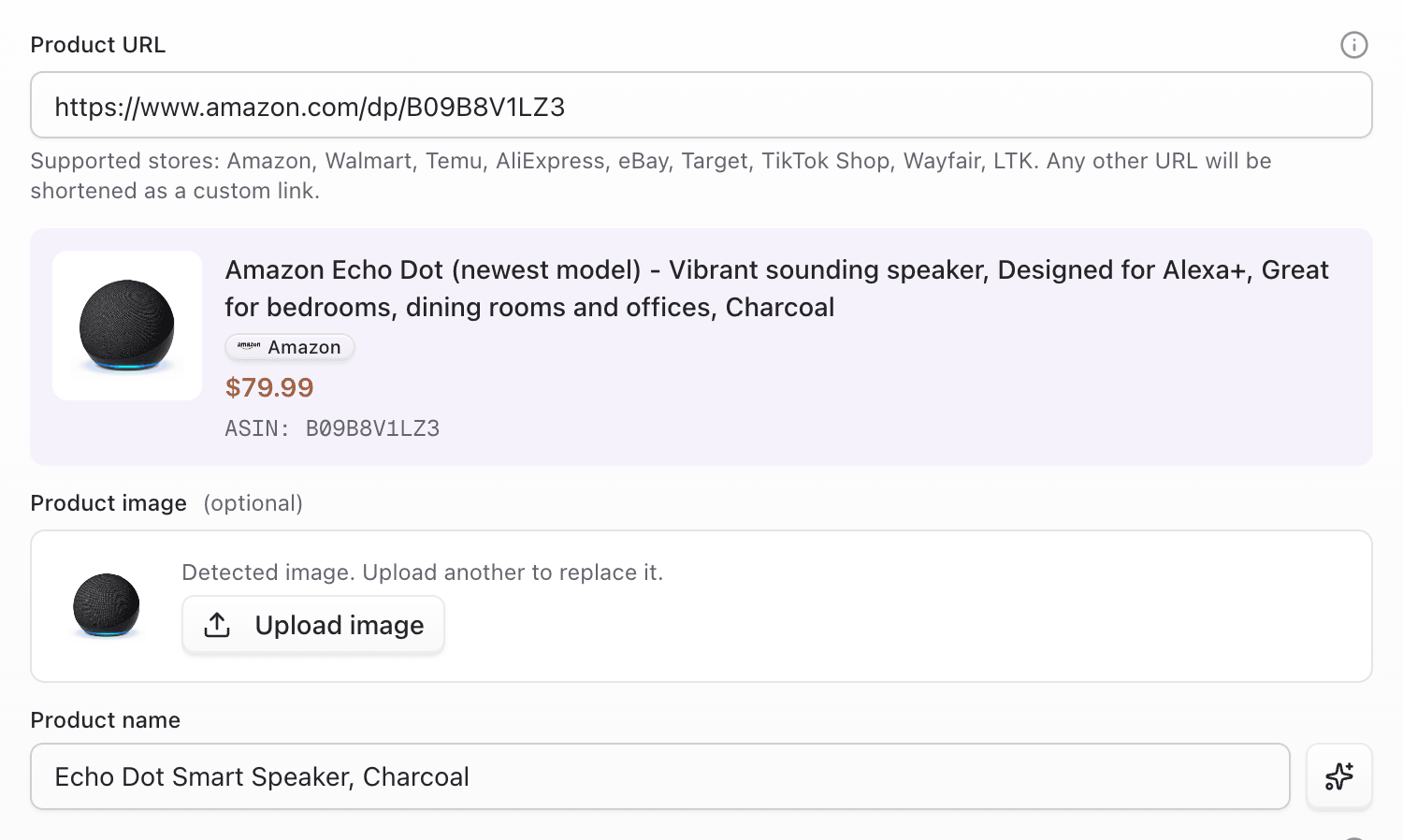
- Paste the Product URL (bare domains are normalized with
https://when needed). Any safe https destination is accepted (known stores, brand sites, and Pointerly URLs that aren’t this same short link). - Wait for store detection and product preview (title, image, price when available).
- Edit the product title if you want a cleaner name in lists and bio (max 100 characters once saved in edit).
- If the store has no preview image, upload or crop a custom product image when offered.
Special cases
- Masked / shortened URLs: if Pointerly can resolve them, the store is detected from the resolved destination. Unresolvable Amazon share hosts (
a.co/ similar) fail with a prompt to open the link and paste the final URL. - Amazon shoppable idea lists (
/shop/…/list/…): the flow may switch to list import (many products) unless you choose to keep a single storefront-style link. - Amazon storefront roots (
amazon.…/shop/handle): saving as a storefront link requires the storefront entitlement (Individual+). Prefer Import Amazon storefront under Bulk Import when you want lists + folders + bundles. - Duplicates: if you already have a link for the same Amazon product + tag (same ASIN + affiliate tag), the dialog warns you. You can open the existing link, optionally create another (ASIN sibling), or — for Creator Connection campaign URLs — relink the existing short link instead of creating a second one.
3. Choose affiliate tag and optional settings
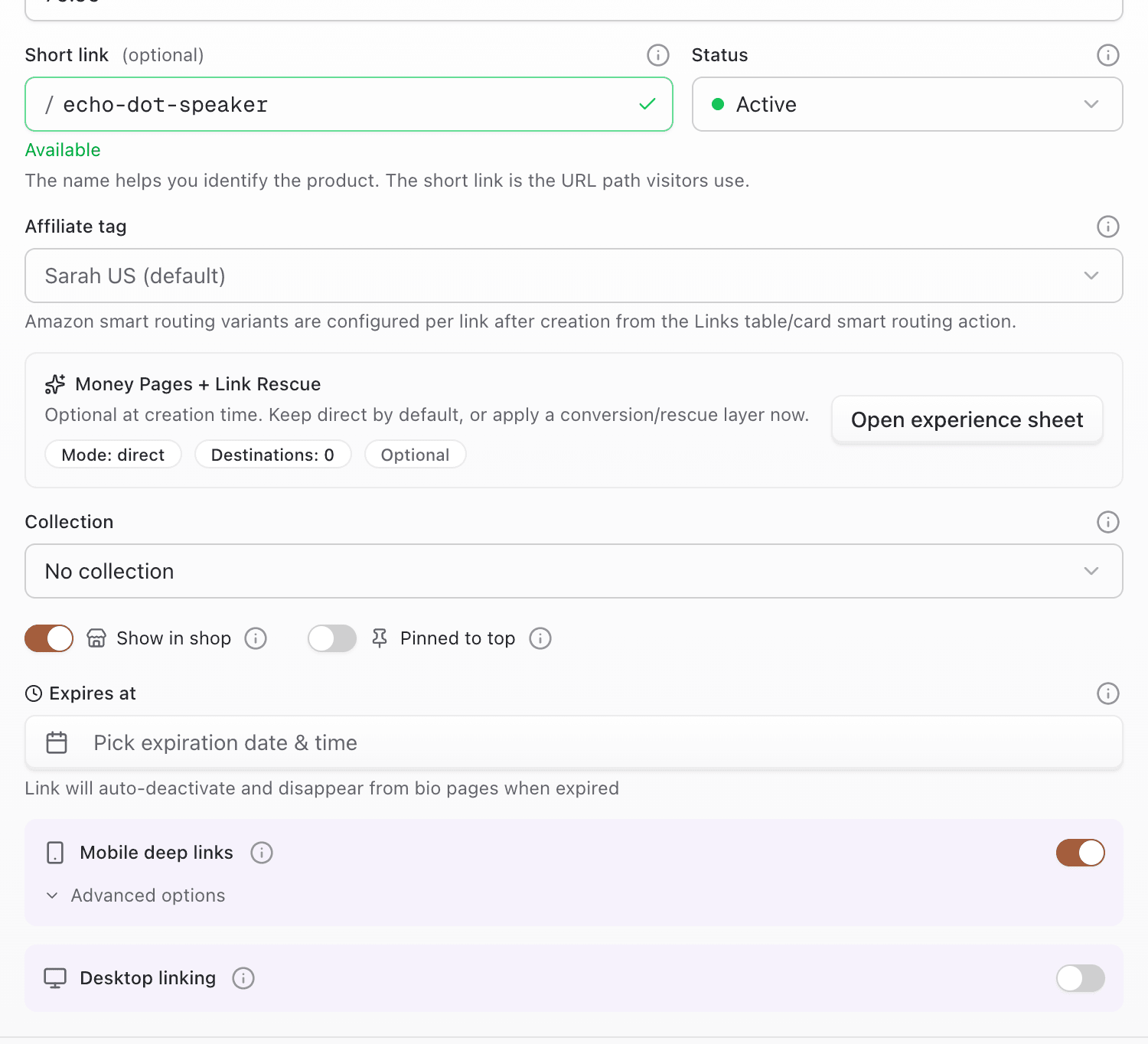
- Select an Affiliate tag that matches the detected store and marketplace.
- For Amazon / eBay / Walmart, saving without a valid matching tag is blocked (or the workspace default tag for that store is used when compatible).
- If the URL embeds a tag you don’t have yet, you may see an option to save that tag.
- Optional: set a custom slug and wait for the availability check (or generate a random / title-based suggestion).
- Final slugs are 3–50 characters: lowercase letters, numbers, and hyphens (cannot start or end with a hyphen). Underscores in drafts are normalized to hyphens server-side.
- Optional: assign a group (organizes links for shop / bio workflows — this is not a public bundle).
- Optional: toggle Show in shop, pin, or set an expiry date.
- Optional: if you have a verified custom link domain, pick it (primary domain is preselected when available).
Open behavior (advanced)
- Deep linking (mobile): defaults on for Amazon. Modes include opening the app first, with a fallback to App Store / Play Store, the web product page, or the workspace default. Non-Amazon stores do not use Amazon-style app deep links.
- Desktop linking: defaults off. When enabled, choose desktop app first, send-to-phone handoff (QR, copy link, email, SMS), or both. If no desktop app is recognized for the URL, the UI warns you (No app found).
4. Save and copy the short URL
- Submit to create the link (you may continue to an optional experience step for money-page / interstitial settings).
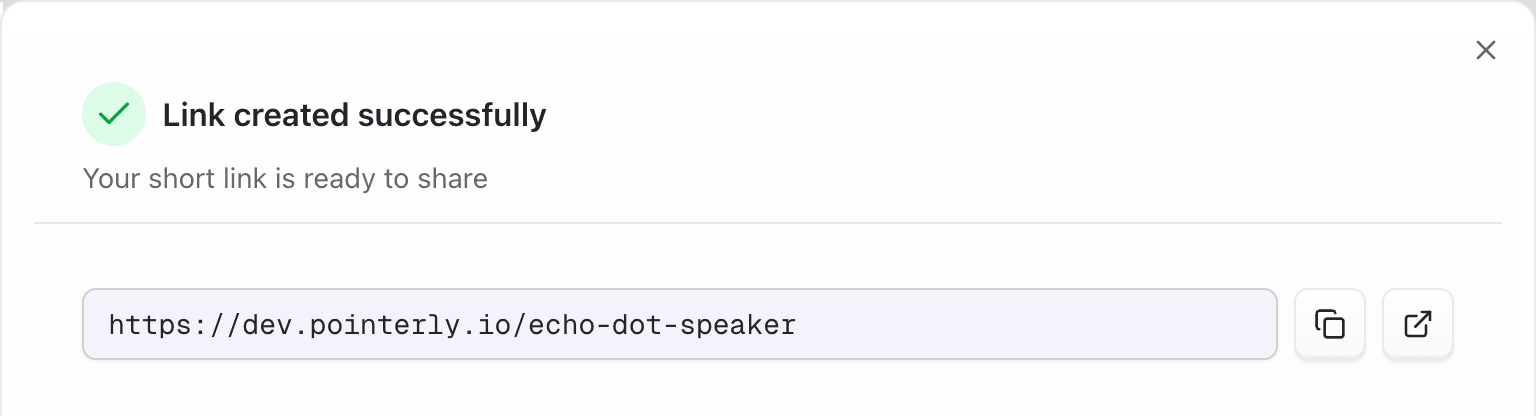
- On success, copy the short URL.
- Optional next steps from the same area of the product:
- Open Smart routing on the new link if you need marketplace variants
- Add the link to bio, QR, or DM automation from the link card / row menu
After create: what you can (and can’t) edit
In Edit link, you can change title, image, price, slug, affiliate tag, deep / desktop behavior, status, show in shop, pin, expiry, custom domain, and smart routing.
The destination URL is immutable in the editor, with one exception: Creator Connection campaign relink — paste a campaign URL for the same Amazon ASIN. The short URL, click history, and published placements stay; only the destination (and campaign id when present) updates.
To promote a different product, create a new link (or reuse an existing one for that ASIN + tag).
Tips
- Match tag marketplace to the product host (for example
amazon.esneeds a Spain tag) before you publish widely. - Use custom slugs when brand recognition matters; leave auto-generated slugs for high-volume imports.
- Assign a group early if the campaign will appear in bio or shop sections.
- Test the short URL once on mobile before sending it to a large audience.
- Creating many links at once? Use Bulk actions instead of the single dialog.
Common questions
What happens if I change the destination URL?
In the product UI you generally can’t freely replace the destination after create. Use campaign relink only when Amazon issued a Creator Connection campaign URL for the same product. That keeps the slug and history. For any other product, create a new short link.
Can one link have multiple marketplace tags?
Not on the primary destination — one affiliate tag per link. Use smart routing variants so each marketplace has its own URL + tag under the same short link.
Why does create warn “You already have a link for this product…”?
Duplicates are keyed by team + affiliate tag + Amazon ASIN. Open the existing short URL, create an intentional ASIN sibling when offered, or relink when pasting a campaign URL for that same product.
Does deep linking work for Walmart / eBay / Temu?
App-style deep linking in Links is built around Amazon. Other stores redirect on the web (desktop handoff modes can still apply when configured).
Limits (grounded in product)
- Soft-deleted Amazon links for the same ASIN + tag may be reactivated instead of creating a brand-new row (new slug can be assigned).
- Creating an intentional second link for the same ASIN + tag is allowed only when the create flow offers create another /
allowDuplicateAsin— Amazon reports still see one ASIN and may split estimates by click share among siblings. - Multi-variant product pages may leave price empty on purpose (scrapers avoid advertising the cheapest add-on SKU). Set price manually in Edit if needed.
Troubleshooting
| Symptom | Likely cause | What to try |
|---|---|---|
| Form blocked at open / Get more links | Link quota reached | Billing → link credits / upgrade; free capacity by pausing or deleting |
| Can’t save — tag invalid | Tag store or marketplace doesn’t match URL | Pick a tag for that store+marketplace, or create a tag |
| “You already have a link for this product…” | Duplicate ASIN + tag | Open the existing link, create another if offered, or use campaign relink when offered |
| Slug unavailable | Slug already taken on that domain | Choose another slug or accept a suggested unique slug |
| Preview empty / wrong store | Unresolvable short link or custom host | Open the product in a browser and paste the final URL |
| Amazon list opened import UI | URL is a multi-product idea list | Complete list import, or choose the single-storefront option if offered |
| Storefront upgrade required | Plan lacks storefront links | Upgrade to Individual+, or import via Bulk → Amazon storefront when entitled |