Create an affiliate tag
Add an Amazon, eBay, or Walmart tracking ID from Affiliate Tags, optionally by pasting a sample affiliate URL.
Add a marketplace tracking ID so new links and report imports attribute commissions to the correct store and locale.
Outcome
You have a saved affiliate tag (name + tag value + store + marketplace), optionally marked as the store default, ready to use on links and imports.
Before you start
- Work in your creator team (not a brand partnership workspace—creators cannot create tags on a brand team).
- Have your tracking ID ready:
- Amazon — Associates Tracking ID (e.g.
mytag-20) - eBay — Partner Network Campaign ID /
campid(numeric) - Walmart — Impact.com IDs as
accountId/adId/campaignId
- Amazon — Associates Tracking ID (e.g.
- Know which marketplace locale you need (e.g. Amazon US vs UK).
- Confirm you have remaining tag slots on your plan (the Create Tag button locks when the limit is reached).
Steps
1. Open Create Affiliate Tag
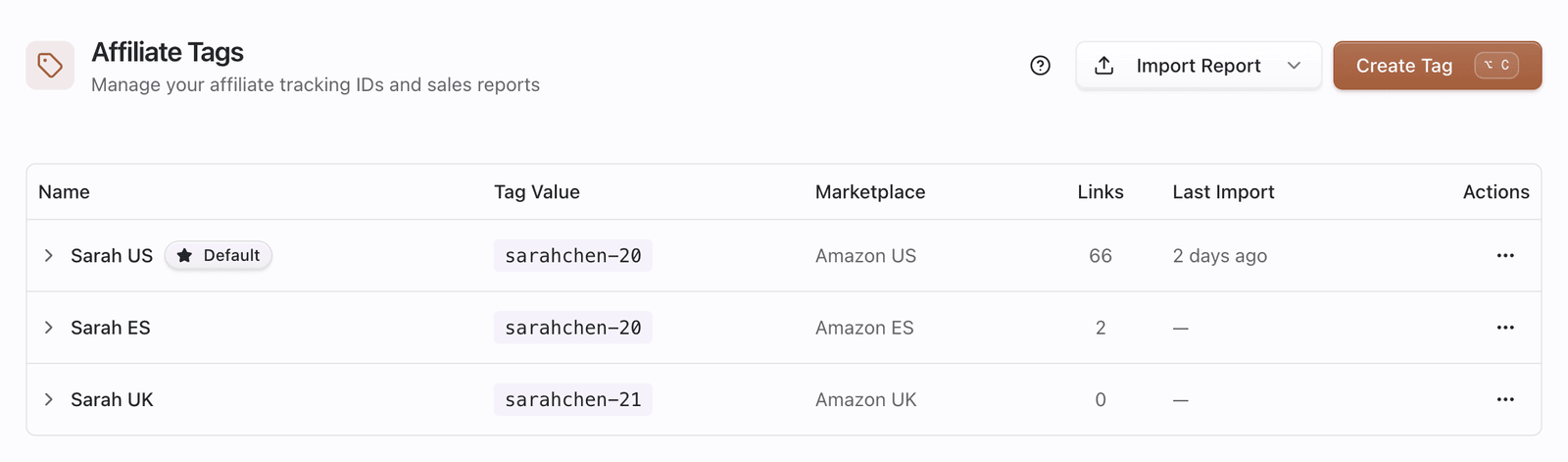
- Go to Dashboard → Affiliate Tags.
- Click Create Tag (keyboard shortcut shown on desktop when available).
- The Create Affiliate Tag sheet opens on the right.

2. (Optional) Paste a sample affiliate URL
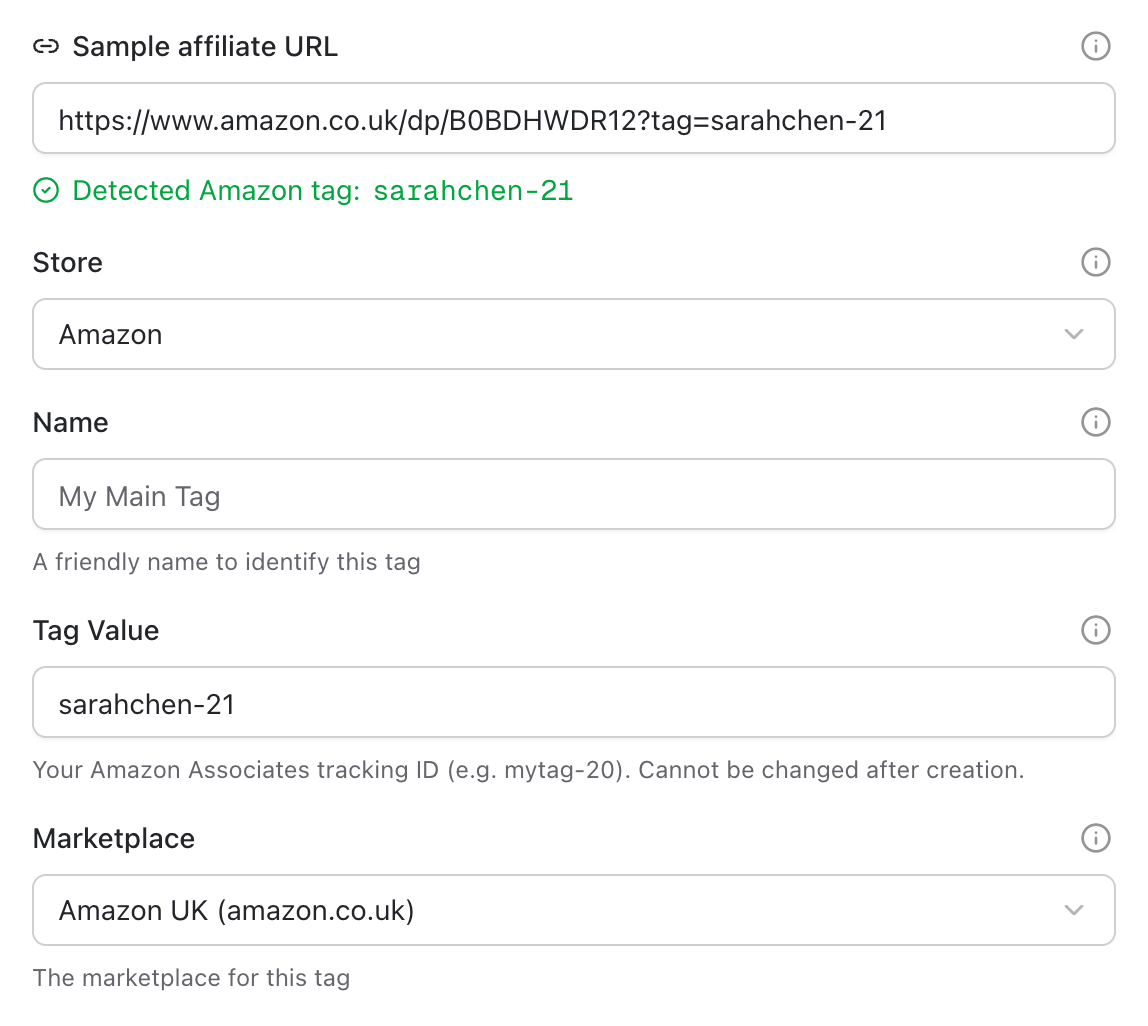
- In Sample affiliate URL, paste an existing affiliate link (e.g. an Amazon product URL with
?tag=...). - Pointerly detects store, tag value, and marketplace when possible and fills the form.
- If nothing is detected, fill the fields manually—the helper text explains that option.
3. Choose store, marketplace, and tag value
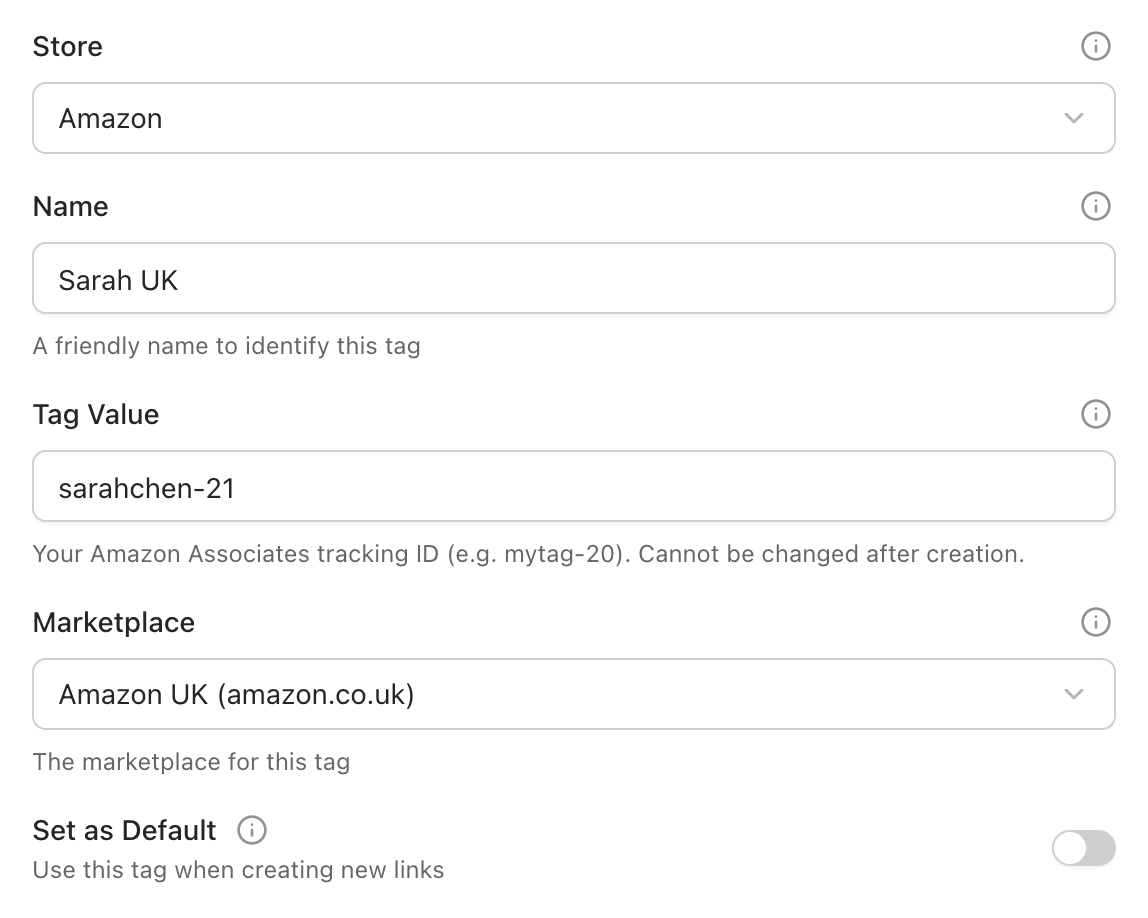
- Select Store: Amazon, eBay, or Walmart (locked after save—you cannot change store on edit).
- Select Marketplace for that store:
- Amazon: US, UK, DE, FR, ES, IT, CA, JP, MX
- eBay: US, UK, DE, ES
- Walmart: US, CA
- Enter Name (display label in Pointerly, up to 100 characters).
- Enter the store-specific ID:
- Amazon Tag Value — letters, numbers, hyphens, underscores; 1–50 characters
- eBay Campaign ID (campid) — numeric, up to 15 digits
- Walmart Impact.com Tracking IDs —
accountId/adId/campaignId
- Optional: enable Set as default for this store so new links prefer this tag.
- Amazon only (optional): enable custom Creators API credentials if you want product/deals data from your own Creators credentials. This does not replace sales report imports.
4. Save and verify
- Save the tag.
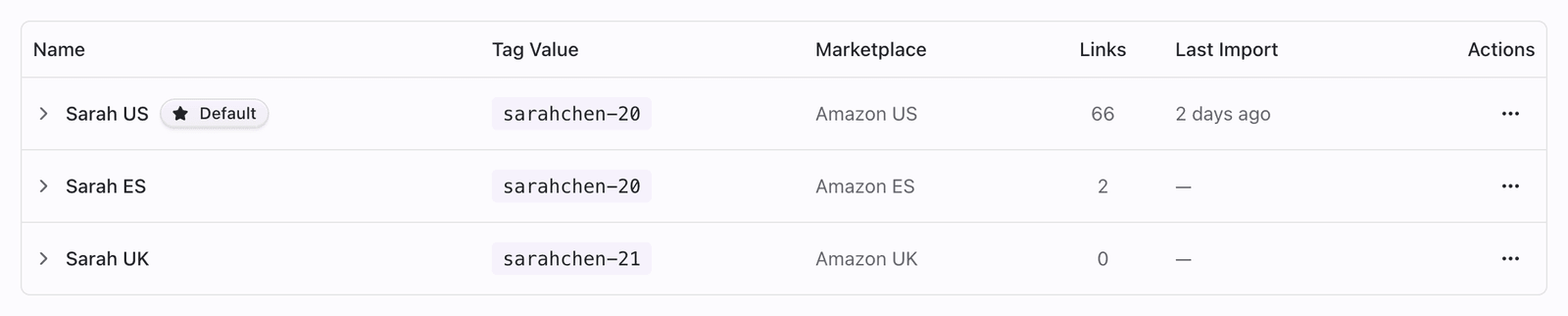
- Confirm it appears in the Affiliate Tags list (grouped by store if you use more than one).
- Create a test link with this tag and confirm the destination URL keeps the expected tracking parameter.
- Optional: open the tag ⋯ menu → Set as Amazon/eBay/Walmart default if you skipped that in the form.
Tips
- Prefer one clear naming convention (
Site · Amazon US, campaign name, etc.) over vague duplicates. - Create marketplace coverage tags before enabling multi-marketplace smart routing.
- Keep the tag value identical to the Tracking ID Amazon (or partner network) shows in reports—imports match on that string.
- If Create Tag is locked, upgrade or free a slot; the UI shows your plan limit.
- Partnership creators: switch to your team before creating tags.