Bio page overview
Pages, sections, themes, publishing, and analytics-ready layouts.
A Pointerly bio page is your public link-in-bio home: one shareable URL for links, deals, social proof, and optional shop content. Build it once in the editor, publish it, and reuse the same destination across Instagram, TikTok, YouTube, and email.
What you can do
- Create one or more bio pages with unique slugs (public path
/@your-slugon the bio host, typicallybio.pointerly.io) - Compose modular sections (links, highlights, text, shop, social, and more)
- Apply theme presets, saved themes (some PRO), or AI-generated styles
- Preview mobile and desktop layouts before you share
- Publish / unpublish, set a default page, and attach a bio custom domain
- Track views, unique visitors, interactions, deal clicks, and section-level analytics (when you have analytics permission)
Concepts
| Concept | Meaning |
|---|---|
| Bio page | Public page owned by your team, identified by a slug |
| Section | Modular content block (links, header, shop, etc.) with its own visibility |
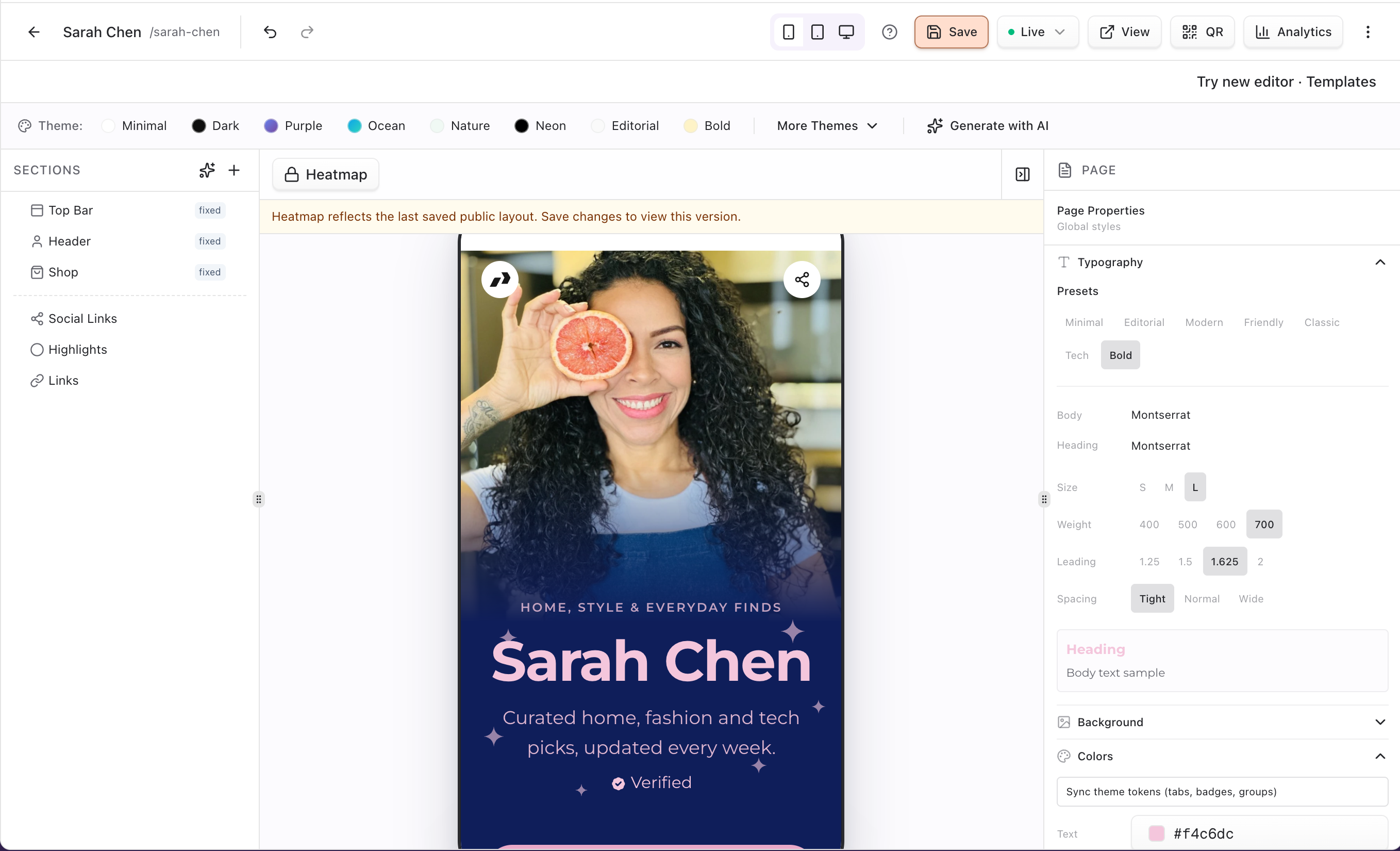
| Fixed sections | topbar, header, and shop — always present; you can hide them but not delete or freely reorder them |
| Theme / preset | Visual style applied to the whole page (colors, typography, cards, tabs, hover) |
| Default page | Primary bio destination for your team (only one page can be default at a time) |
| Publish state | Published pages are live; unpublished pages stay saved offline |
| Shop / deals | Optional commerce tab on the public page (shopSettings); products and deals live under Bio Shop |
| Custom domain | Branded host typed Bio pages that replaces bio.pointerly.io for bio traffic |
Typical workflow
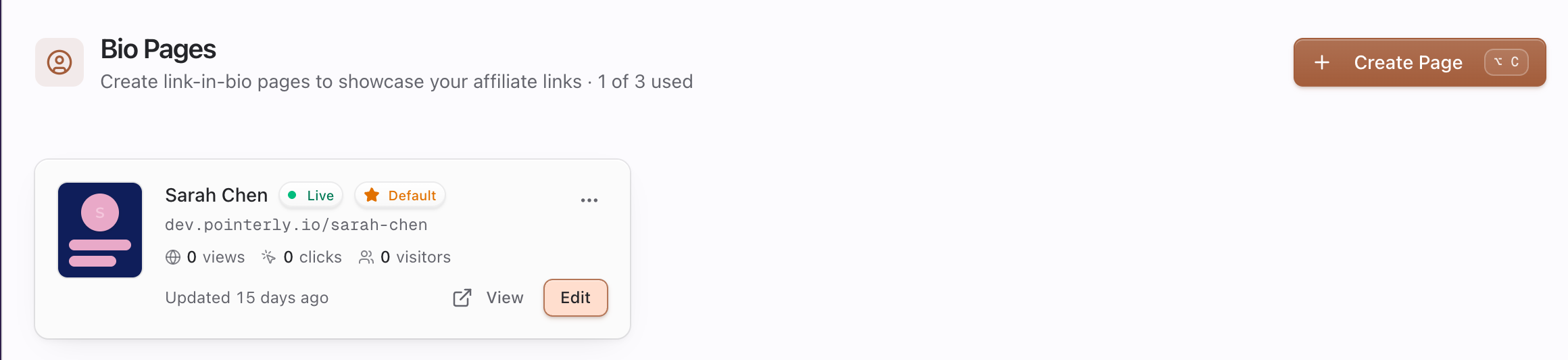
- Open Dashboard → Bio and create a page (Page URL slug + Display Name; optional bio text).
- Edit the header profile (name, intro, avatar, cover) and add content sections for your best links.
- Pick a theme preset (or More Themes / Generate with AI if your plan allows).
- Preview on mobile, then confirm Published (new pages start published by default).
- Optional: Set as default, then connect a custom domain.
Permissions and limits
- Creating pages requires can create bio pages (
canCreateBioPages) on your team role. - Editing, publishing, unpublishing, and setting default require can edit bio pages (
canEditBioPages). - Deleting pages requires can delete bio pages (
canDeleteBioPages). - Plans enforce a bio page limit; create fails with a limit message (upgrade to Pro for unlimited pages, or remove unused pages).
- Viewing bio analytics aggregates requires analytics view permission.
- Enabling the Shop section (and Bio Shop features) is plan-gated; without access the shop stays locked.
Analytics at a glance
New pages have analytics enabled by default (enableAnalytics). Public visits and clicks feed aggregates you can review for that page: total views, unique visitors, interactions, deal clicks, device/browser/OS, geography, referrers, per-section stats, top targets, and recent events. Attribution still lives on the Pointerly links you attach—not on decorative section chrome.
Where to go next
- Create and publish — end-to-end setup, publish vs draft, slug rules
- Sections and themes — layout, visibility, shop, styling
- Custom domain — branded bio URL
- Troubleshooting — publish, slug, and domain fixes
- Bio shop overview — products, collections, shop tab
Common questions
What is a bio page vs a short link?
A bio page is a full public page (/@slug) that lists sections (links, text, shop, social). A short link is a single tracked redirect you create under Links. Put short links inside bio sections so clicks stay attributed.
Can I have more than one bio page?
Yes. Each page needs a unique slug. Use one default page for evergreen social bios and extra pages for campaigns or seasonal drops. Plan limits may cap how many you can create.
Do new pages start live?
Yes. Creating a page defaults to published (isPublished: true). You can Unpublish anytime to take the public URL offline without deleting content.
What does “Set as default” do?
It marks that page as the team’s primary bio (isDefault). Setting a new default clears the previous default. You need edit bio pages permission. Default is separate from publish—an unpublished default still is not publicly reachable.
Where do shop and deals appear?
Shop is a fixed section type. When shop is enabled (shopSettings.enabled) and your plan includes Bio Shop, visitors can switch among links, shop, and optionally deals tabs on the public page. Configure products/collections in the editor Shop tab—see Bio shop overview.
How do custom domains relate to bio?
Add a domain under Settings → Domains with type Bio pages. That host replaces the default bio subdomain for bio traffic only; short links and profiles use their own domain types.