Bio shop overview
Add products, collections, and shop settings to a bio page.
Bio Shop is the commerce tab on a bio page: products, collections, and shop display settings. Open a bio in the editor, select the fixed Shop section, and tune how your products appear (including deal-backed products when your plan includes Bio Shop). Public visitors see the shop layout on your published bio.
What you'll do
- Open a bio page editor and select the Shop section
- Choose which links appear as products and whether collections show
- Tune shop layout / display settings
- Publish and verify the public shop section
Before you start
- Plan includes Bio Shop (otherwise the tab is gated)
- At least one bio page created — see Create and publish
- Permission to edit bio pages for the team
Steps
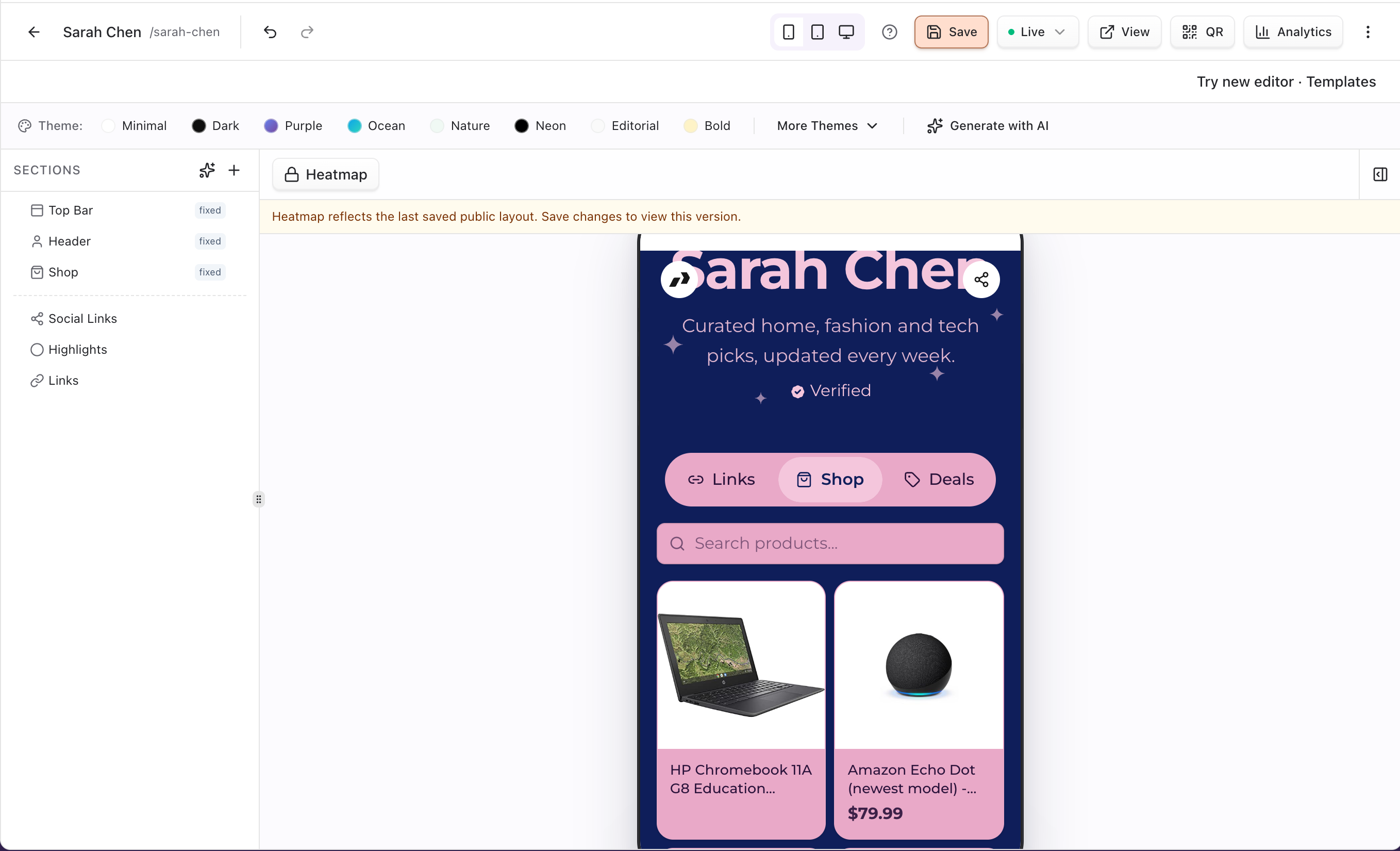
1. Open Shop on a bio
- Go to Dashboard → Bio and open a page.
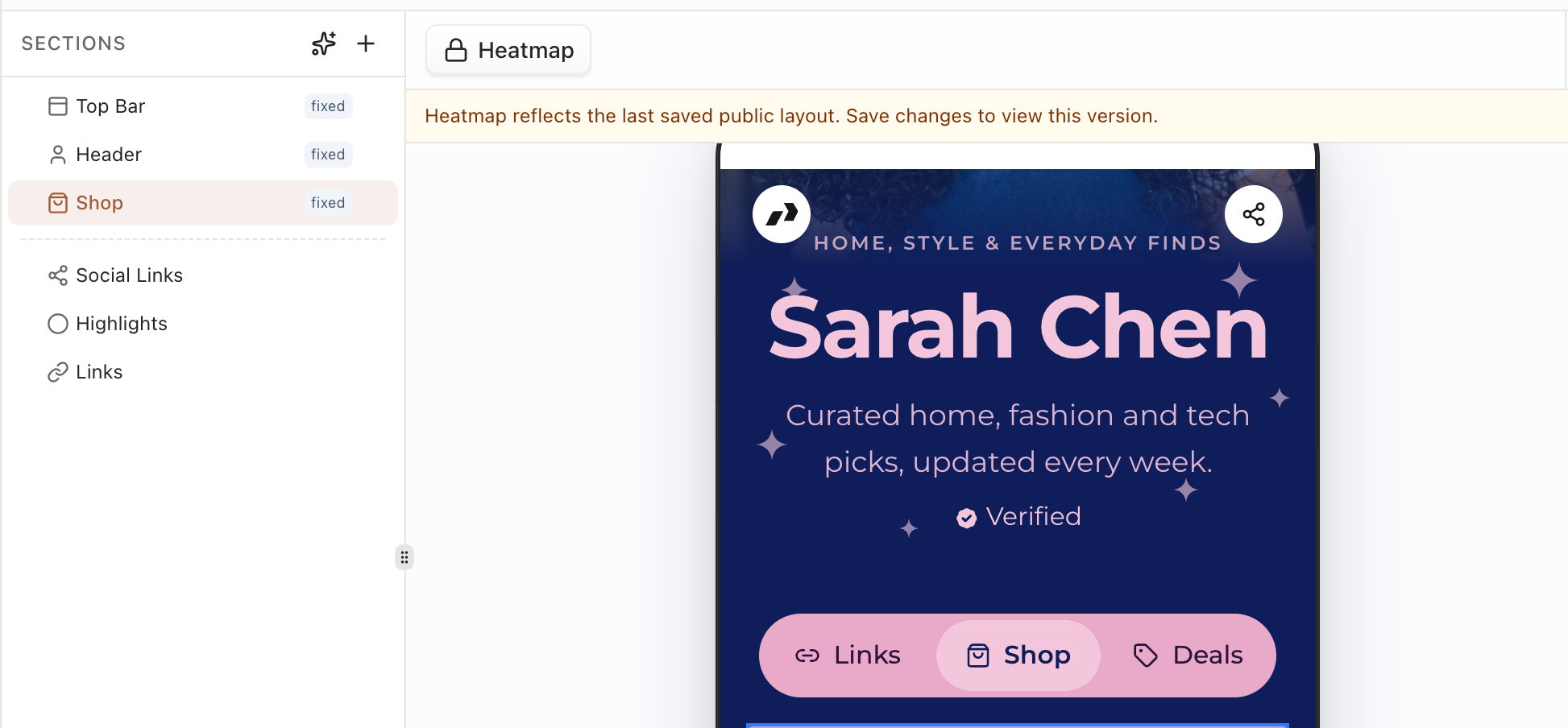
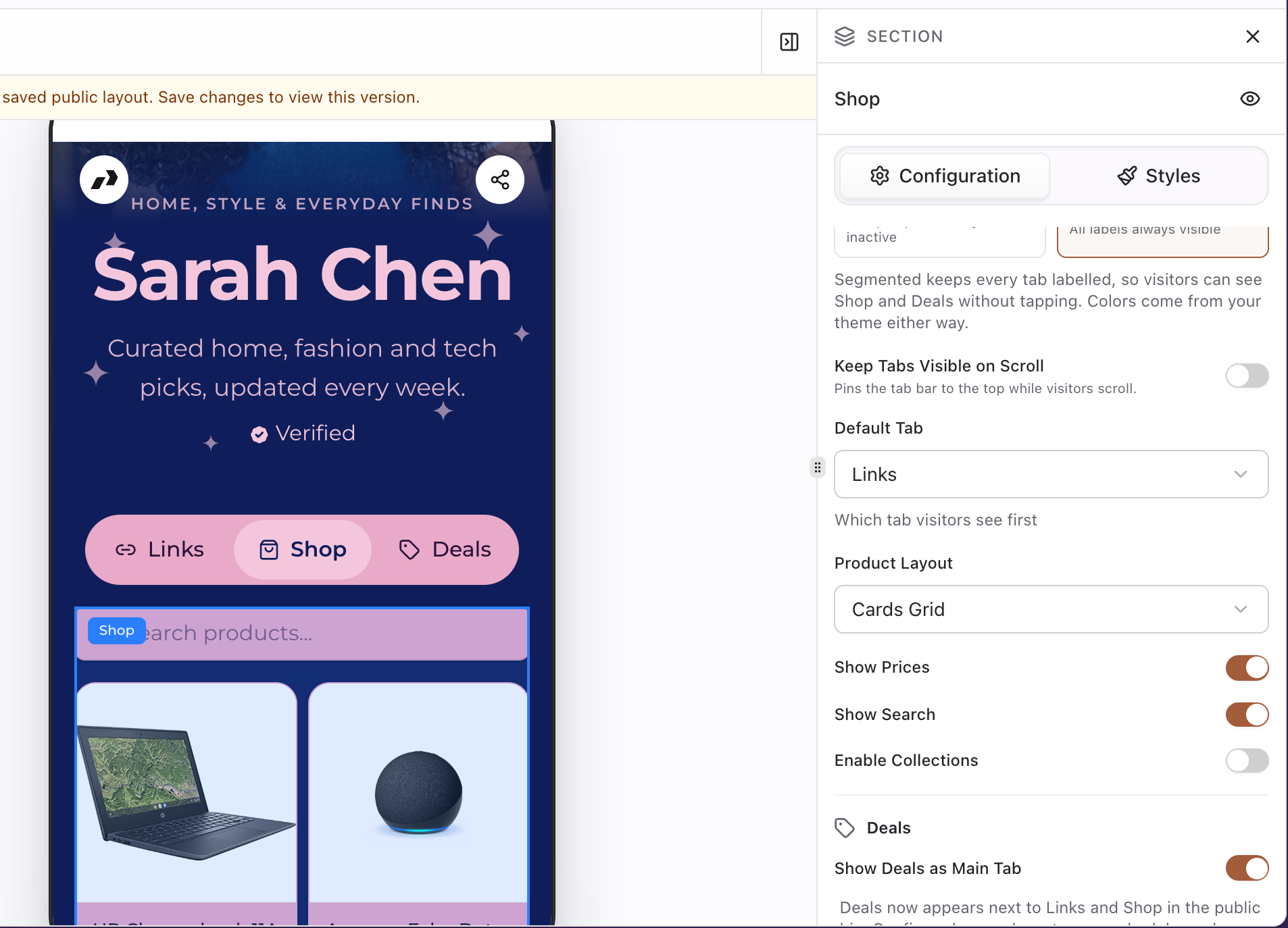
- In Sections, select the fixed Shop section. Its settings open on the right (tab style, default tab, product layout, prices, search, collections, deals).
- In the preview, click the Shop tab (next to Links and Deals) to see the products visitors get.
- Confirm Bio Shop is unlocked on your plan.
2. Add products and collections
- Products are your team's active tracked links. To keep one out of the shop, turn off Show in shop when you edit the link under Links.
- Turn on Enable Collections in the Shop settings when you want storefront-style browsing by link group.
- Pick a Product Layout and toggle Show Prices / Show Search; with deals enabled, the Shop tab also shows Products / Deals sub-tabs.
3. Publish and check the public page
- Save shop settings and publish the bio if needed.
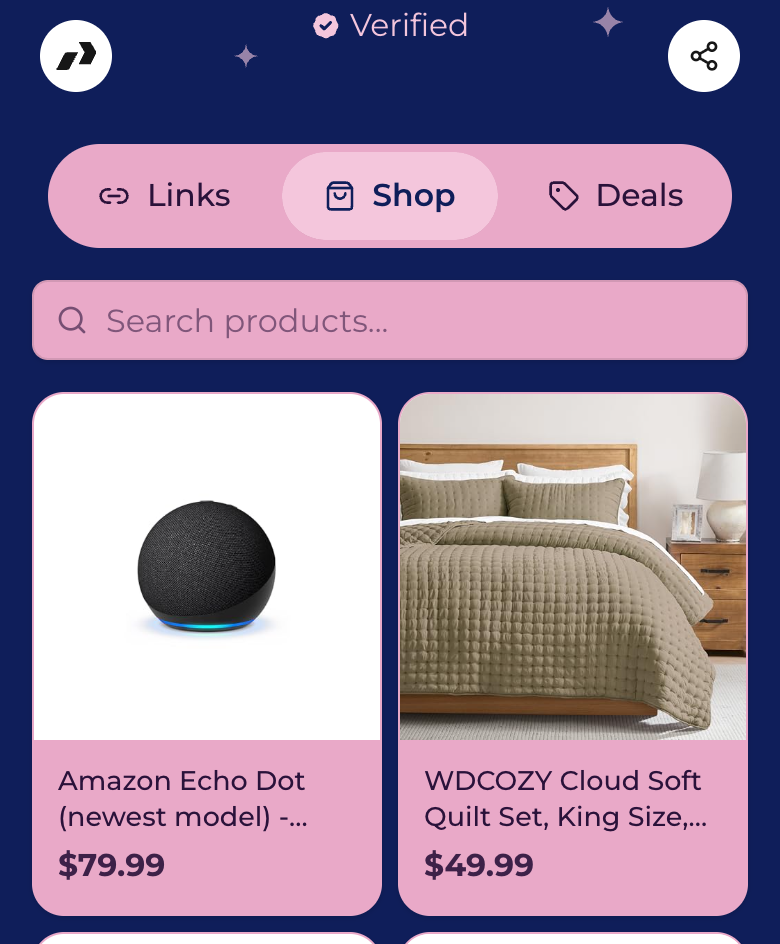
- Open the public bio URL and confirm the shop section renders.
- For storefront-oriented layouts and link kinds, see Storefront.
Tips
- Keep collections small and scannable on mobile.
- Pair shop items with tracked links/tags so analytics stay attribution-ready.
Troubleshooting
| Symptom | Likely cause | What to try |
|---|---|---|
| No Shop tab | Plan feature off | Upgrade / enable Bio Shop |
| Products missing on public page | Unpublished bio or empty collection | Publish; ensure items are in a visible collection |
| Prices hidden | Storefront link kind | Expected for some link kinds — see Storefront guide |