Affiliate tags overview
Store marketplace tracking IDs for Amazon, eBay, and Walmart so links, smart routing, and report imports attribute correctly.
Affiliate tags store your marketplace tracking IDs—Amazon Associates tags, eBay Partner Network campaign IDs, and Walmart (Impact.com) tracking IDs. Every tracked link, smart-routing variant, and sales-report import in Pointerly depends on having the right tag for the right store and marketplace.
Outcome
After you set up tags for the stores you monetize, you can create attributed links, cover multi-marketplace routing, and import marketplace reports that reconcile commissions back to those tags.
Why tags matter
- Link attribution — Creating a link requires a compatible tag for that store so redirects keep your tracking ID.
- Smart routing coverage — Multi-marketplace variants need a tag for each destination marketplace you route to.
- Report imports — Imported Amazon, eBay, and Walmart reports match rows to a tag by tracking ID, then update per-tag reports and link stats.
Concepts
| Concept | Meaning in Pointerly |
|---|---|
| Tag | A named record for one store + marketplace + tracking ID |
| Tag value | The marketplace ID itself (e.g. mytag-20, an eBay campid, or Walmart accountId/adId/campaignId) |
| Store | Amazon, eBay, or Walmart |
| Marketplace | Locale/site within that store (e.g. Amazon US, eBay UK, Walmart CA) |
| Default tag | Preferred tag for new links of that store (set per store) |
| Coverage | Having tags for every marketplace you route traffic to |
Where to manage tags
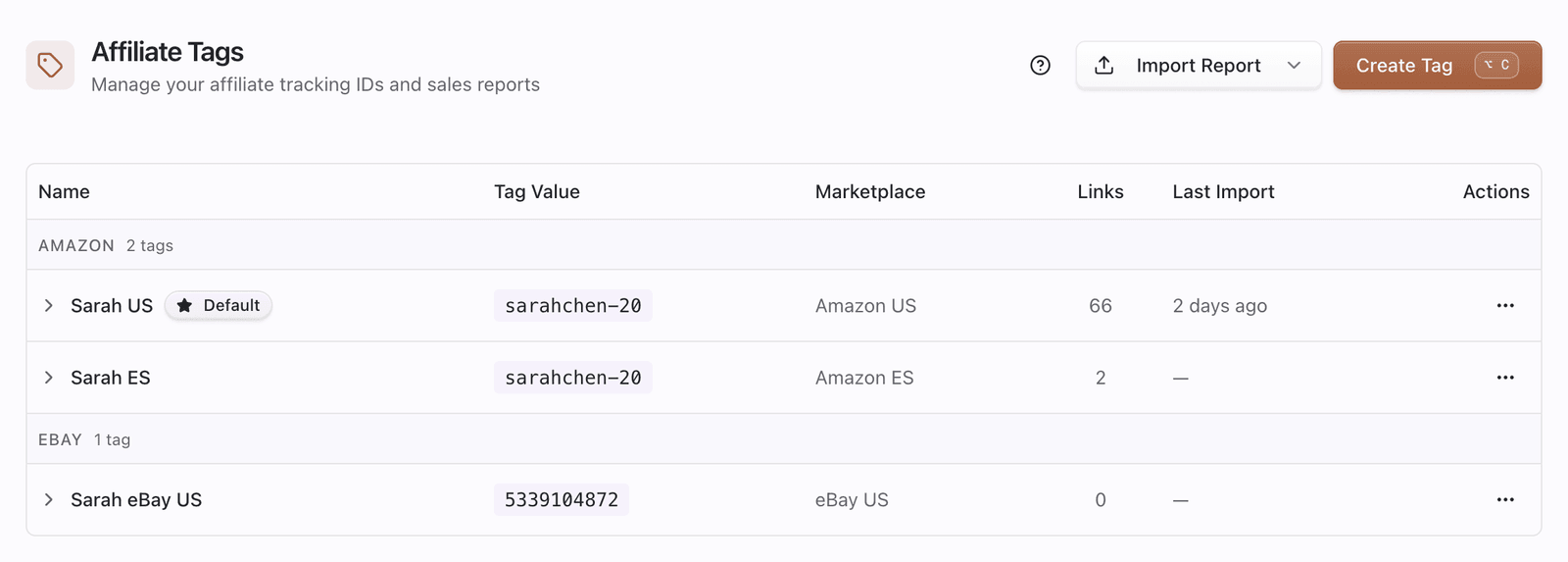
- Open Dashboard → Affiliate Tags (
/dashboard/affiliate-tags). - Review tags grouped by store when you use more than one.
- Use Create Tag to add a tag, or open a tag’s ⋯ menu for Edit, Import report, View reports, Set as default, or Delete.

Typical workflow
- Create tags for each store and marketplace you promote.
- Mark one default per store so new links pick the right ID.
- Use those tags when creating links and smart routing variants.
- Import marketplace reports against the matching tags to see commissions and sync link stats.
Amazon-only extras
Some capabilities apply only to Amazon tags:
- Optional Amazon Creators API credentials on the tag (product data / deals)—not used for eBay or Walmart.
- Creator Connections (Amazon) from the tag menu when your plan includes that feature.
- The richest marketplace list (US, UK, DE, FR, ES, IT, CA, JP, MX).
Sales and commission charts still come from report imports (and Settings → Reports), not from Creators credentials alone.