Marketplace coverage
Add affiliate tags for every Amazon, eBay, and Walmart locale you route to so smart routing stays attributed.
Marketplace coverage means you have a Pointerly affiliate tag for each store locale you send traffic to. Smart routing and multi-marketplace links can only preserve commission when a matching tag exists for the destination marketplace.
Outcome
Every marketplace you promote (for example Amazon US + UK, or eBay US + DE) has its own tag with the correct tracking ID, and defaults are set so new links pick the right ID per store.
Before you start
- List the marketplaces your audience actually uses (geo, language, store preference).
- Collect the tracking ID approved for each locale from Amazon Associates, eBay Partner Network, or Impact.com (Walmart).
- Have permission to create tags on the active team and free plan slots if needed.
Steps
1. Audit what you already have
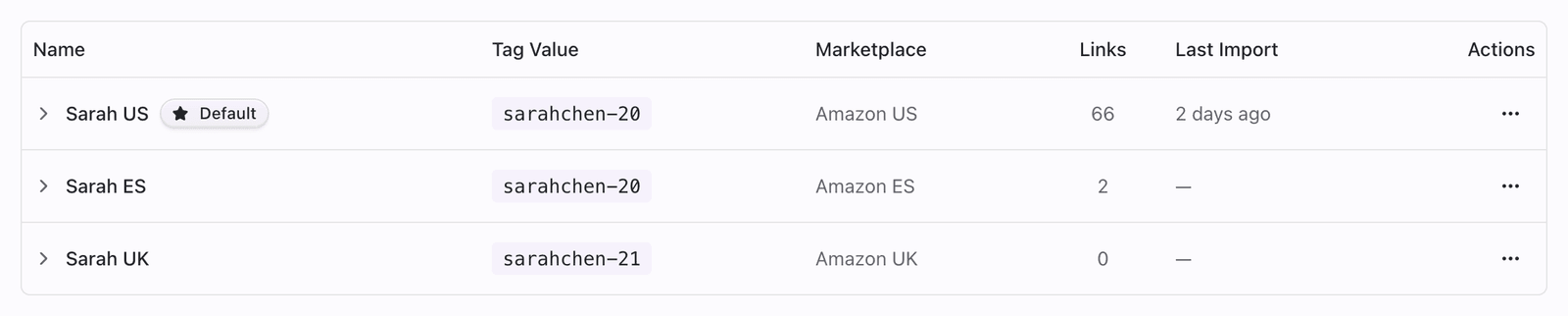
- Open Dashboard → Affiliate Tags.
- Note which stores and marketplaces already appear.
- Compare that list to the locales you use in smart routing or campaigns.
- Flag gaps (e.g. you route to
amazon.co.ukbut only have an Amazon US tag).
2. Add a tag for each missing marketplace
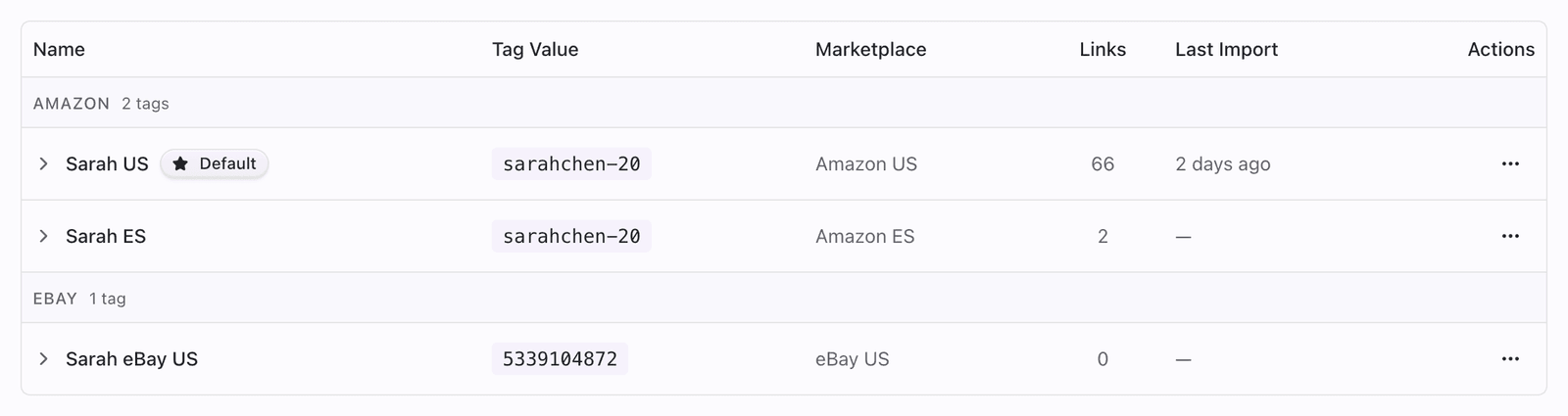
- Click Create Tag.
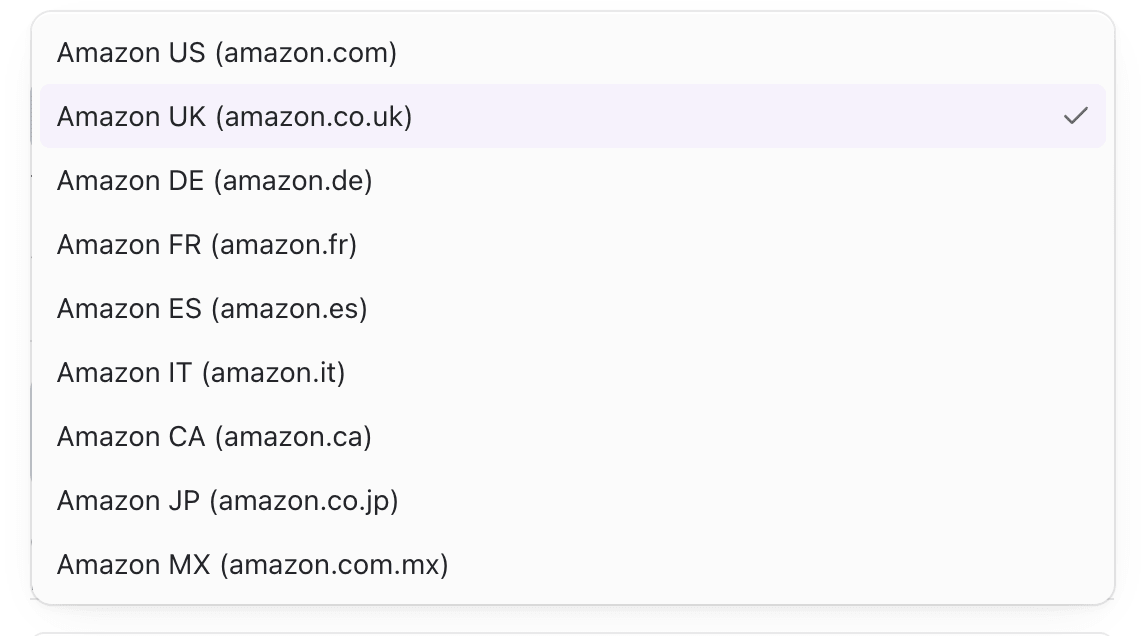
- Choose the Store and the exact Marketplace locale.
- Enter the tracking ID that belongs to that locale (do not reuse a US tag value on UK unless Associates treats them as the same approved ID for that site).
- Name the tag so the locale is obvious (e.g.
Blog · Amazon UK). - Save, then repeat for each gap.
Supported marketplaces in Pointerly:
| Store | Marketplaces |
|---|---|
| Amazon | US, UK, DE, FR, ES, IT, CA, JP, MX |
| eBay | US, UK, DE, ES |
| Walmart | US, CA |
3. Set a default per store
- For each store you use, pick the primary locale tag.
- Open the tag ⋯ menu → Set as Amazon default (or eBay / Walmart).
- Confirm the Default badge appears on that tag.
- Defaults are per store—Amazon, eBay, and Walmart each have their own default.

4. Wire coverage into smart routing
- Open a multi-marketplace link → Smart routing.
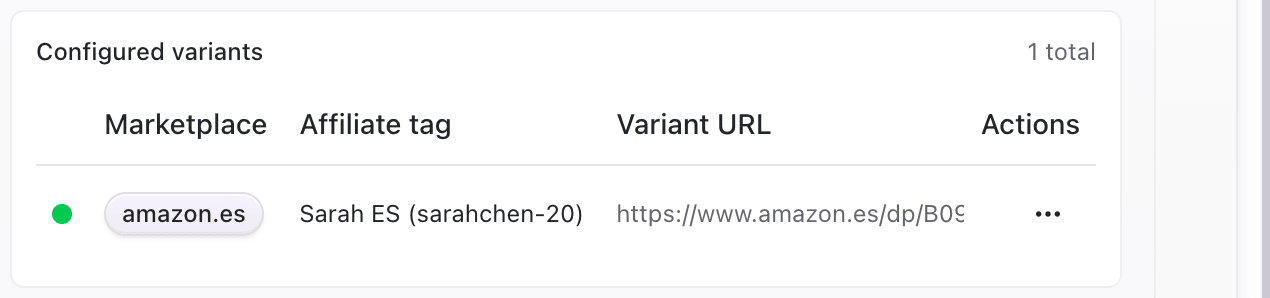
- Add a variant for each destination marketplace.
- Confirm each variant is paired with the matching affiliate tag.
- Spot-check redirects so the destination host and tracking ID match the variant.
Tips
- Missing marketplace tag coverage is the most common smart-routing setup gap—fix tags first, then variants.
- Keep product destinations equivalent across locales when possible so geo switches do not feel broken.
- Amazon Creators credentials are optional and Amazon-only; they do not replace having a tag per marketplace.
- Report imports also match by tag value—coverage tags should use the same Tracking IDs your partner dashboards export.
Troubleshooting
| Symptom | Likely cause | What to try |
|---|---|---|
| Smart routing variant will not save / wrong tag | No tag for that store + marketplace | Create the missing tag, then reattach |
| Link opens the wrong country site | Variant host or tag marketplace mismatch | Align marketplace on tag and variant destination |
| Only one Default badge for Amazon | Expected—one default per store | Set eBay/Walmart defaults separately if needed |
| Cannot create more tags | Plan tag limit | Upgrade or delete unused tags |